
Q4 2025: Making Team Work Clearer and More Predictable
Some quarters are loud. Big features, shiny UI, headline announcements.
Q4 2025 wasn’t that kind of quarter. Instead, it was structural.
A lot of internal work surfaced in ways that don’t scream for attention, but quietly change how teams operate day to day. Less ambiguity. Fewer edge cases. More predictability when remote access becomes shared responsibility.
Here’s what changed — and why it matters if you’re running remote support as a team, not a solo tool.
A Renewed System for Technicians and Access Rights
The biggest update this quarter is a fully redesigned Technicians and Access Rights system in Getscreen.me.
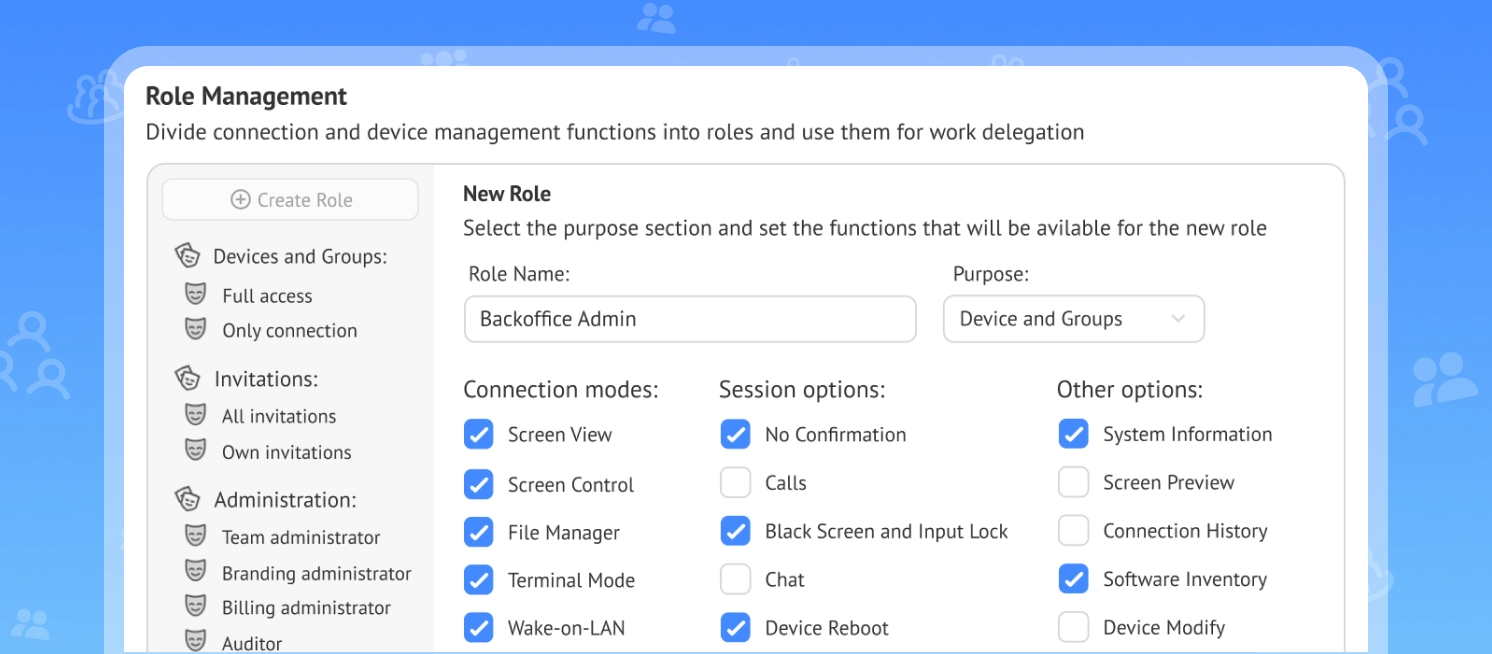
We didn’t add restrictions for the sake of control. We rebuilt the model so permissions are explicit, flexible, and aligned with how real teams work.
What’s new:
- Custom roles built through a visual permissions constructor
- A redesigned Team section for managing technicians
- Configurable access rules for unregistered (anonymous) connections
The key shift is conceptual.
Instead of asking, “Wait, who can change this?” you now define roles intentionally. Connection modes, session options, device management functions — all of it can be divided and delegated with precision.
This is especially important for growing teams. When support engineers, security leads, and operations managers share the same environment, role clarity stops being a luxury. It becomes infrastructure.
Chrome Extension Rebuilt with React
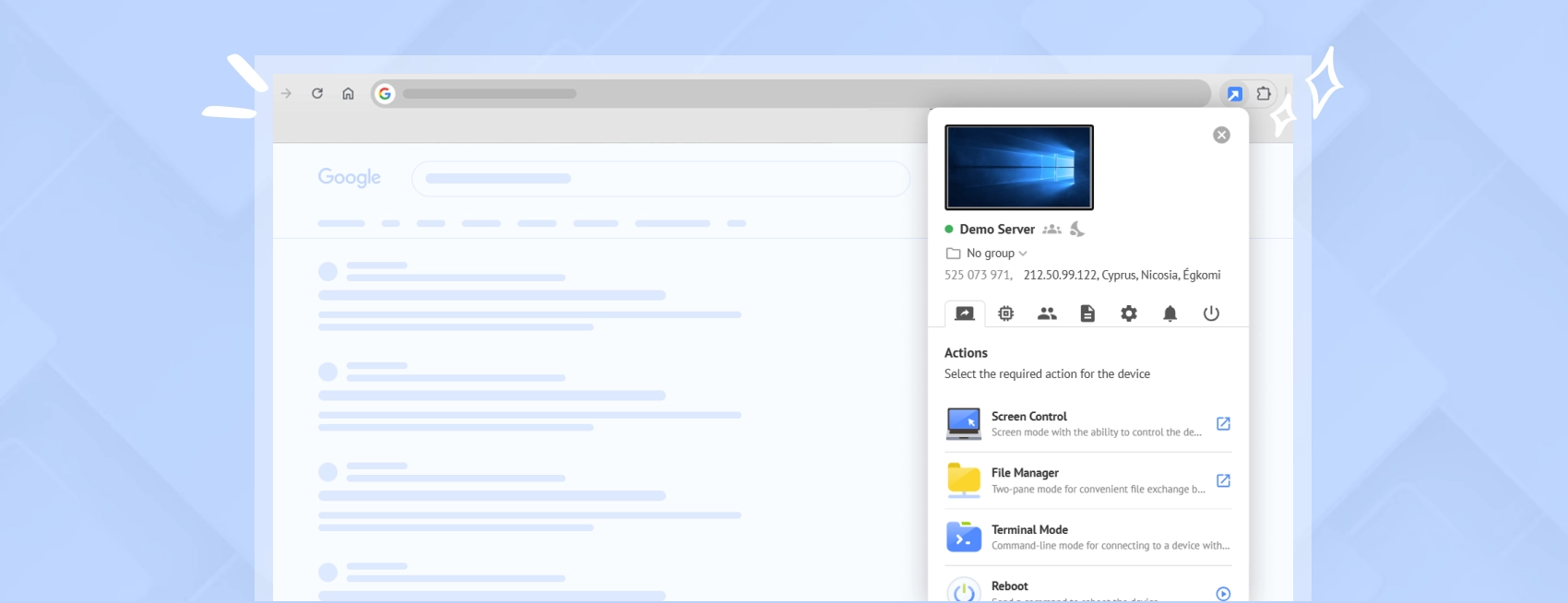
Under the hood, we completely rebuilt the Chrome extension using React. You won’t see fireworks. But you will feel the difference.
Faster UI interactions. Better stability during sessions. A cleaner internal architecture that allows us to ship improvements faster going forward.
Rewriting an extension isn’t glamorous work. It’s foundational work. And that foundation matters when your extension is part of daily support operations.
Smarter and More Flexible Video Session Recording
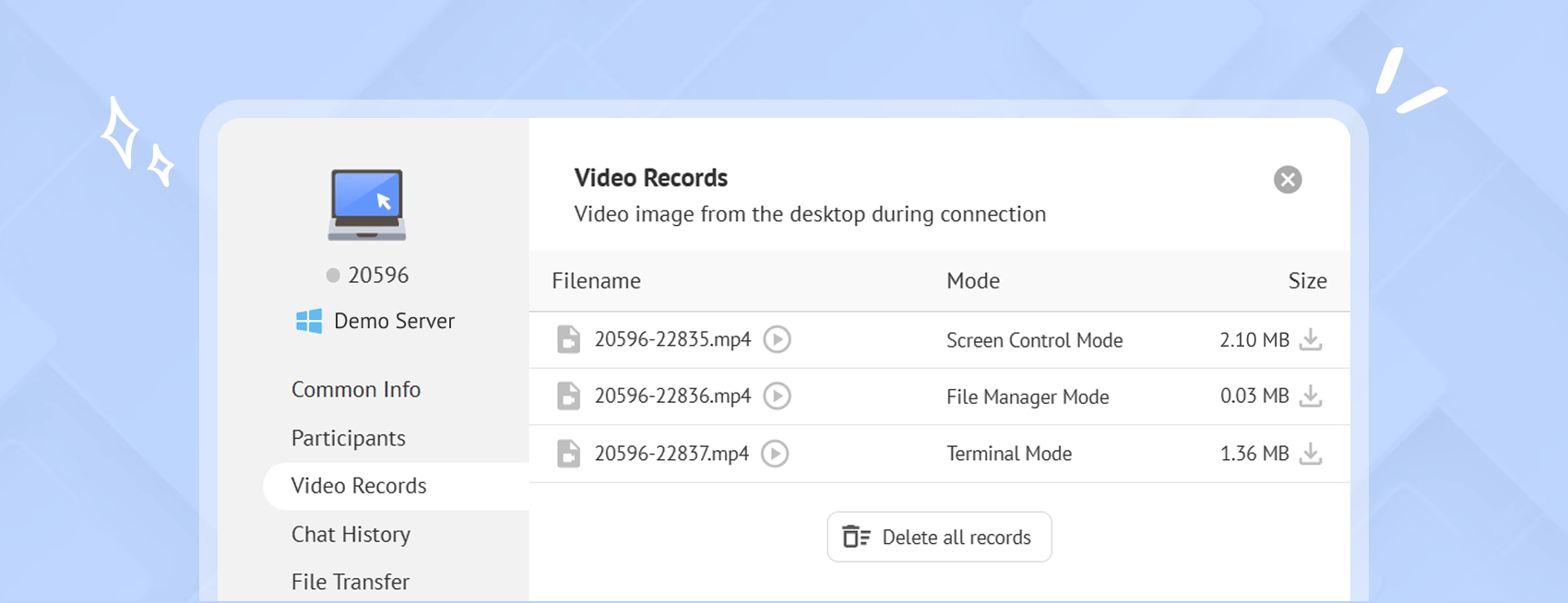
Session recording also received a serious upgrade this quarter.
For teams that rely on recordings for audits, internal reviews, or training, these improvements aren’t cosmetic. They expand what’s actually possible.
What’s new:
- Video recording for terminal connections
- Video recording for file manager sessions
- Configurable video file settings
- Multiple recordings within a single session
- Bulk deletion of recordings
- Video previews and logging of mouse actions and system notifications
The result is simple. Recording is no longer just a “just in case” archive. It becomes an operational tool.
You can analyze workflows. Review changes. Train new technicians. Investigate incidents. And do it with more granularity than before.
Why This Quarter Matters
None of these updates were about adding more surface-level features. They were about reducing friction.
When remote access becomes teamwork, things get complicated quickly. Permissions drift. Sessions behave inconsistently. Security policies become optional. Documentation lags behind reality.
Q4 was about tightening that up. Clearer roles. More predictable sessions. Stronger foundations. And we’re not done.
If you want to stay on top of what’s coming next, follow our blog and keep an eye on upcoming product updates. Q1 will continue in the same direction — fewer surprises, more structure, and better tools for teams that rely on remote access every day.