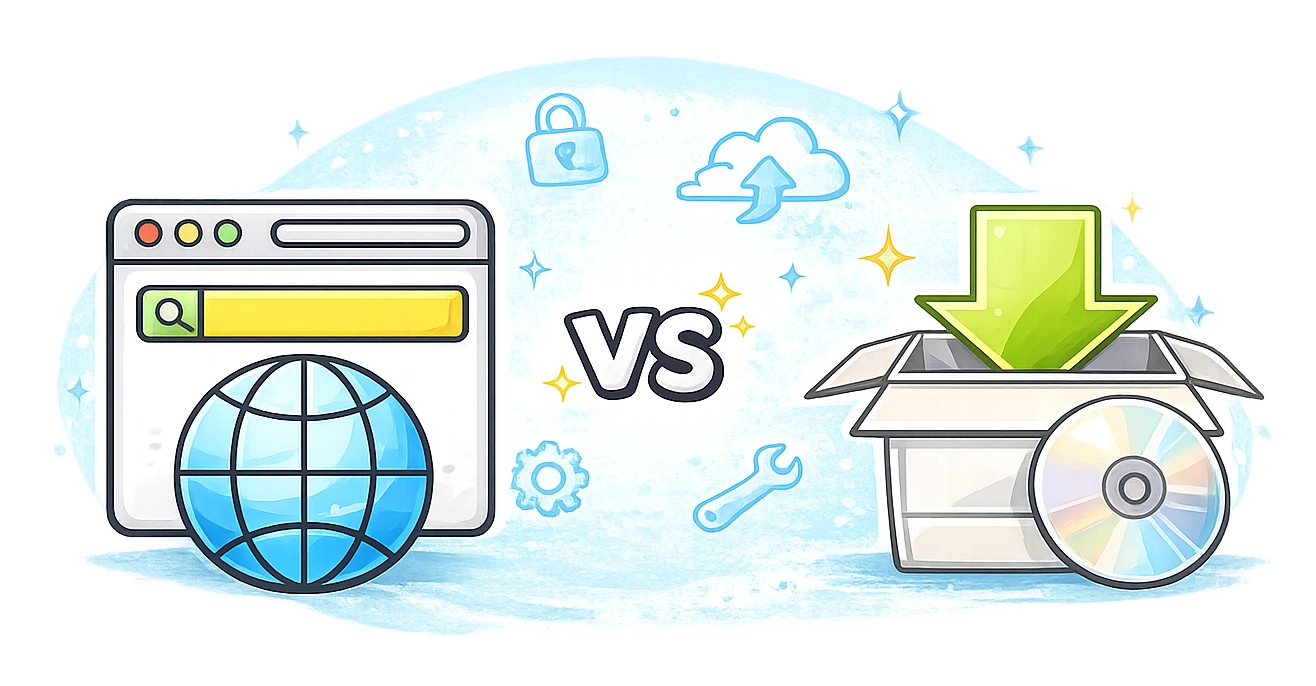
Browser-Based vs. Desktop-Based: Selecting Software for Remote Access
Remote access tools are designed to help IT support teams, managed service providers, and companies to manage distributed infrastructure. Often, admins need to maintain servers from different locations while support teams connect to client devices to resolve technical issues.
The idea is to enable businesses to maintain operations without requiring physical access to hardware.
There are two main approaches when selecting tools for remote access:
- browser-based remote access solutions;
- desktop-based remote access systems.
Both models allow remote connections. However, they differ in terms of deployment complexity, infrastructure requirements, scalability, integration capabilities, and long-term costs.
Typically, business owners consider desktop-based software to provide more control. However, modern browser-based platforms offer enhanced functionality with significantly lower operational complexity.
Solutions such as Getscreen.me illustrate how cloud-based remote access can simplify infrastructure management while keeping performance at a high level.
In this article, we will talk about the key differences between both approaches and why companies tend to choose browser-based platforms for modern remote support operations.
Comparison: Browser-Based vs Desktop-Based Remote Access
The following table summarizes the key differences between both deployment models.
| Feature | Browser-Based | Desktop-Based |
|---|---|---|
| Deployment | Instant access through browser registration | Requires server installation and network configuration |
| Infrastructure | Managed by a provider | Managed by an internal IT team |
| Setup Time | Minutes | Hours or days depending on complexity |
| Maintenance | Automatic updates handled by a provider | Continuous maintenance by internal administrators |
| Scalability | Instant scaling without hardware changes | Requires additional hardware and configuration |
| Integration | Built-in APIs and ready integrations | Often requires custom configuration |
| Cost Model | Predictable subscription pricing | Infrastructure, hardware, and personnel costs |
| Accessibility | Accessible from any browser | Often limited to installed software environments |
| Team Management | Centralized browser dashboard | Multiple management interfaces |
Understanding the Two Deployment Models
Remote access solutions rely on two fundamentally different deployment architectures. Each model affects system management, resource allocation, and operational costs.
Browser-Based Remote Access
This model runs through a web interface. The administrator logs into a cloud control panel and manages remote connections directly from a browser. The platform provider maintains the infrastructure that handles session routing, security protocols, and connection stability.
A system like Getscreen.me operates entirely through a centralized dashboard. Technicians create accounts, add devices, and start remote sessions without installing heavy desktop software.
This approach simplifies the onboarding process. A company can create an account and begin remote support operations within minutes. Devices connect through lightweight agents, while administrators control everything from a single browser interface.
Summary
Browser-based architecture removes typical barriers associated with remote access deployment. Companies do not need to configure servers, adjust firewall rules, or maintain infrastructure components. A system works immediately after registration.
Desktop-Based Remote Access Systems
Desktop-based software operates inside a company's internal infrastructure. A team installs server components on local hardware or private data centers. IT specialists must configure network access, maintain server uptime, and manage software updates.
This approach provides full control over the environment. Some organizations with strict internal policies prefer this architecture.
However, infrastructure ownership introduces several operational responsibilities. IT teams must manage:
- system installation and updates;
- network security configuration;
- server maintenance;
- backup and redundancy;
Each component adds complexity to the system.
Even simple tasks such as scaling device capacity or adding technicians may require infrastructure changes. The internal IT department becomes responsible for maintaining the entire remote access ecosystem.
Summary
For large enterprises with extensive infrastructure teams this model may be manageable. Smaller organizations often find the operational overhead unnecessary.
Deployment and Onboarding
Deployment complexity directly affects how quickly teams can start using remote access software.
Browser-based systems focus on minimal setup requirements. Registration usually takes only a few minutes, after which the administrator gains access to the main dashboard.
The interface in Getscreen.me demonstrates this approach clearly. The system provides a central control panel where administrators manage devices, invite clients, and start remote sessions.
Oppositely, desktop-based deployment requires IT teams to install server components, configure authentication systems, and ensure proper network access. It means additional expertise and operational costs.
Even after deployment, teams still have to monitor system health and apply updates, which automatically increase operational workload.
Summary
Browser-based deployment reduces typical technical barriers and implementation time.
Centralized Management and Ease of Use
Ease of use affects the productivity of support teams. Remote access tools should simplify workflows rather than introduce additional management complexity.
Browser-based platforms typically provide a single management interface. Administrators control all aspects of the system from one location.
In Getscreen.me, the browser dashboard contains all essential tools and team settings. You can manage devices in their accounts, configure connection sessions, import new technicians, and assign specific roles.
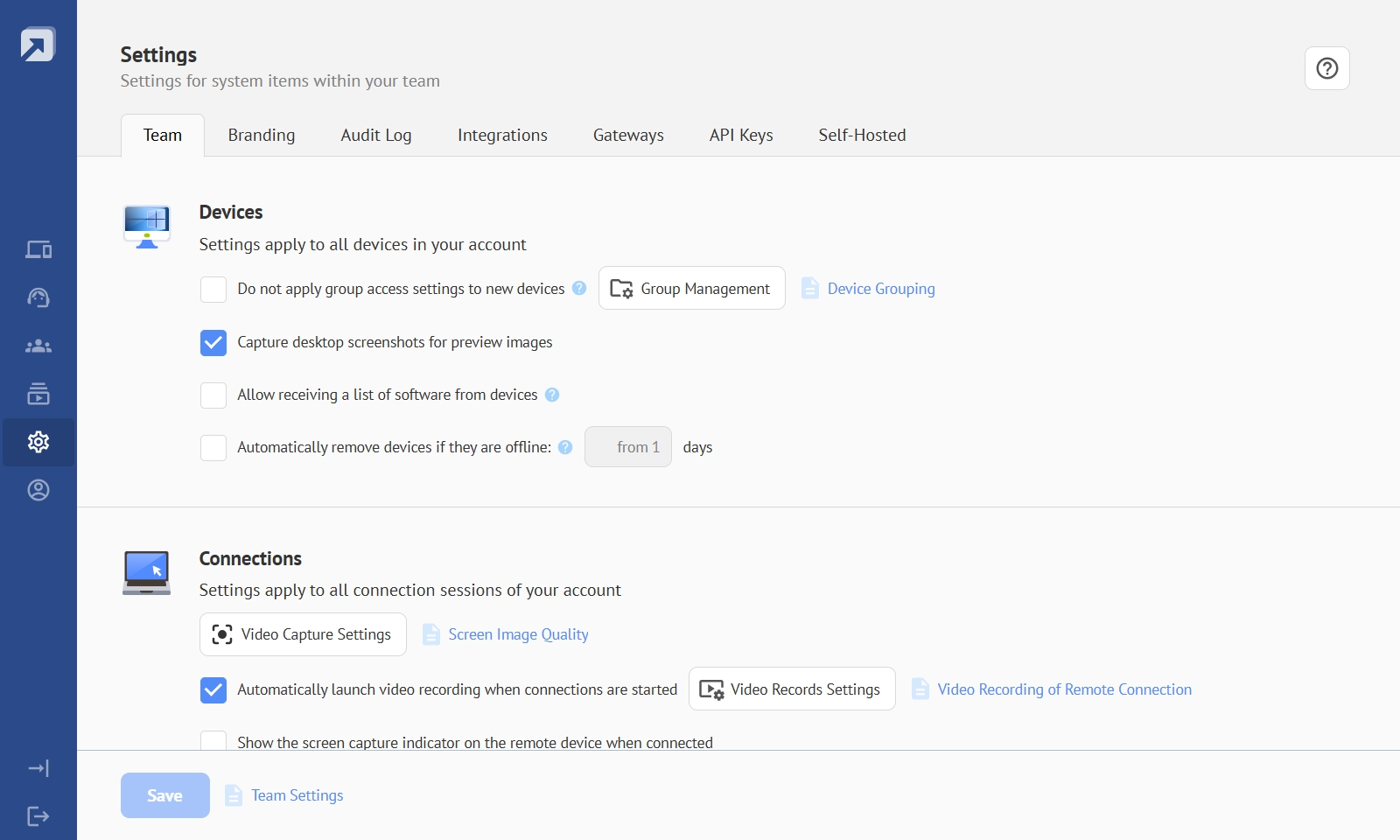
This centralized environment offers several operational advantages.
- It reduces training time for new employees. Technicians learn the system quickly, all tools are within one workspace.
- It improves visibility. Administrators monitor connections, device status, and team activity from a single dashboard.
- It simplifies account management. Adding new devices, technicians, or clients requires only a few clicks.
Desktop-based systems often distribute these functions across multiple interfaces. Administrators may need to switch between server consoles, desktop applications, and configuration panels. It can slow down daily operations.
Summary
A unified browser interface improves both usability and operational efficiency.
Integration With Existing Infrastructure
Isolated software systems are rarely used. Companies need to integrate remote access tools with existing workflows. They may involve helpdesk platforms, CRM systems, and authentication services.
Browser-based platforms usually offer integration capabilities through APIs and built-in connectors. These integrations allow companies to connect remote support directly to their operational environment.
The integration options available in Getscreen.me illustrate this concept well. The platform supports browser extensions, HTTP API access, and single sign-on configuration.
These tools allow teams to connect remote access functions with customer support platforms and internal authentication systems.
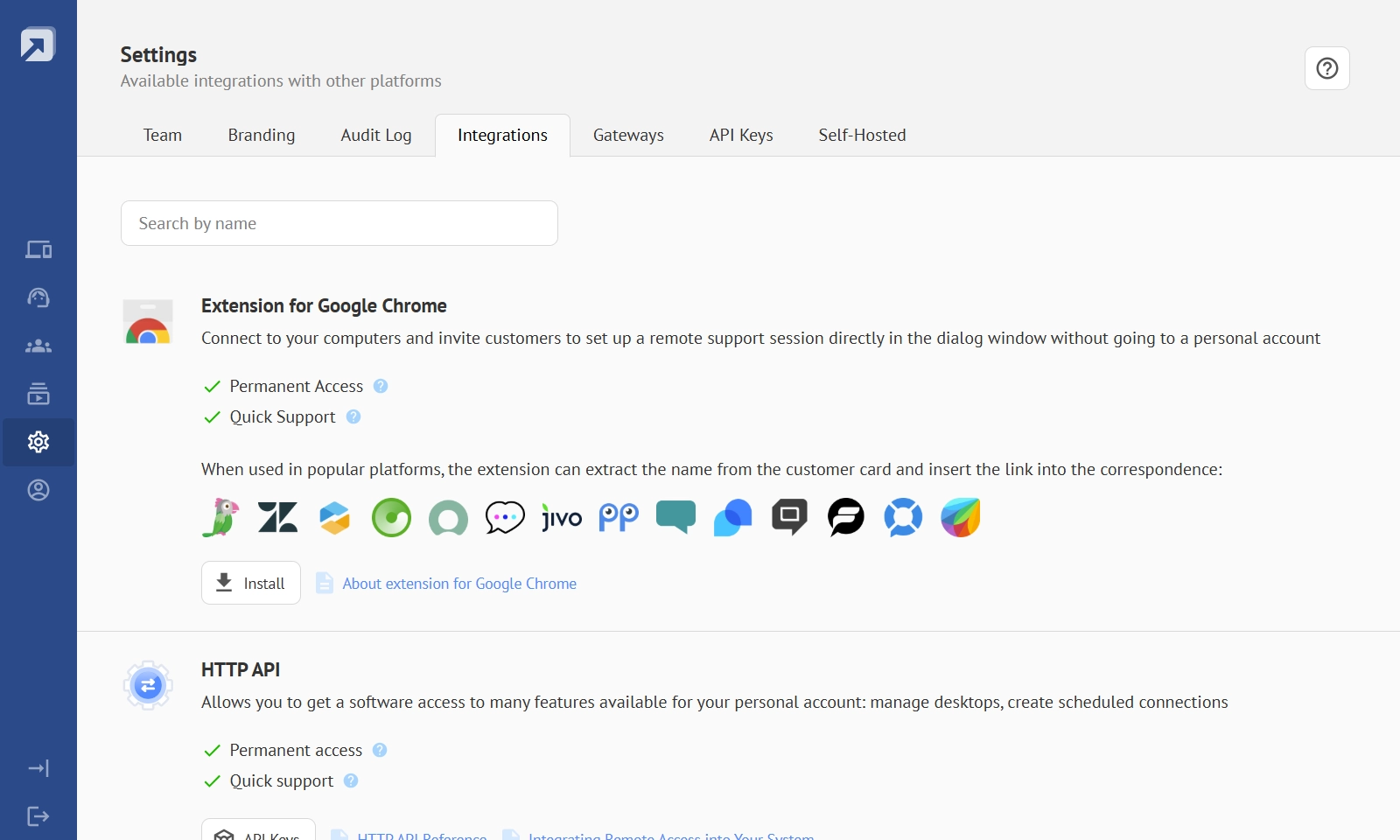
Support agents can start remote sessions directly from their existing workflow tools rather than switching between separate systems.
Desktop-based solutions can also support integrations, but implementation often requires additional development work and infrastructure configuration. This process may involve internal developers or external consultants.
Summary
Browser-based solutions simplify this stage because most integrations already exist within the platform.
Scalability and Infrastructure Flexibility
Scalability determines how easily a system adapts to business growth.
Companies often begin with a small number of remote devices. Over time the infrastructure expands. Support teams grow. Client devices increase. New offices appear in different locations. At some point, companies may need to connect more participants to the same device simultaneously.
Browser-based remote access platforms handle this growth automatically. The infrastructure runs in the provider's cloud environment, which expands according to system demand.
A company can increase the number of devices or technicians without purchasing additional hardware. The platform scales dynamically as usage grows.
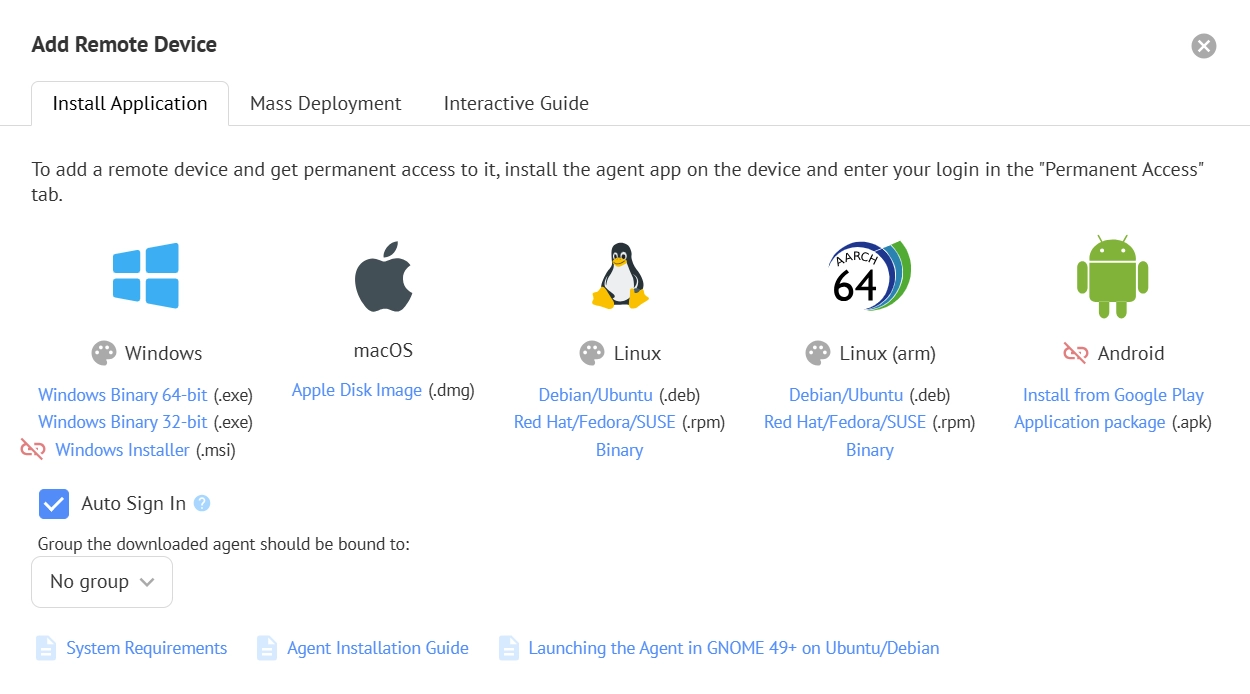
With Getscreen.me, administrators simply add new devices or invite additional team members through the control panel. The system immediately supports the new capacity.
With desktop-based infrastructure, growth requires new hardware resources, server capacity, and network configuration. Each expansion stage involves planning, procurement, and system configuration.
Summary
On-premises tools come with both time delays and financial investment. Cloud-based scalability provides a significant operational advantage.
Cost Structure and Infrastructure Economics
Each approach has both direct and indirect expenses.
Subscription pricing for cloud platforms are often monthly costs. Desktop-based solutions may appear less expensive at first because they involve a one-time license purchase. However, infrastructure ownership introduces hidden operational expenses.
To manage desktop-based environments, you need to invest in hardware, pay for server maintenance and IT expertise. Organizations must also consider backup systems, redundancy infrastructure, and security monitoring.
These operational requirements increase the total cost of ownership.
Browser-based platforms remove most of these infrastructure expenses. The provider maintains servers, manages updates, and ensures system availability. Companies pay only for the functionality they use.
Summary
Browser-based solutions significantly lower financial risk during technology adoption and let business scale as it grows.They offer flexible plans depending on the team size and technical preferences.
The Verdict: Why Browser-Based Remote Access Is a Better Option
What we see now is a shift toward browser-based remote access solutions. They offer broader capabilities when using enterprise software within the business IT architecture. Companies keep adopting cloud-based tools to reduce infrastructure complexity and improve operational flexibility.
Several factors drive this particular trend:
- Faster deployment. Teams can start using systems almost immediately after registration.
- Lower infrastructure costs. Cloud providers maintain servers and security infrastructure.
- Simplified management. A single control panel manages devices, technicians, and sessions.
- Flexible scaling. Companies expand their remote access environment without purchasing new hardware.
These advantages make browser-based software a good option for support teams, administrators, managed service providers, and growing technology companies.