Mass Agent Deployment & New Enterprise Features
Managing remote devices at scale just got a whole lot easier! Getscreen.me now offers mass deployment of agents for enterprise users, making setup and management smoother than ever.
Mass Deployment for Enterprise
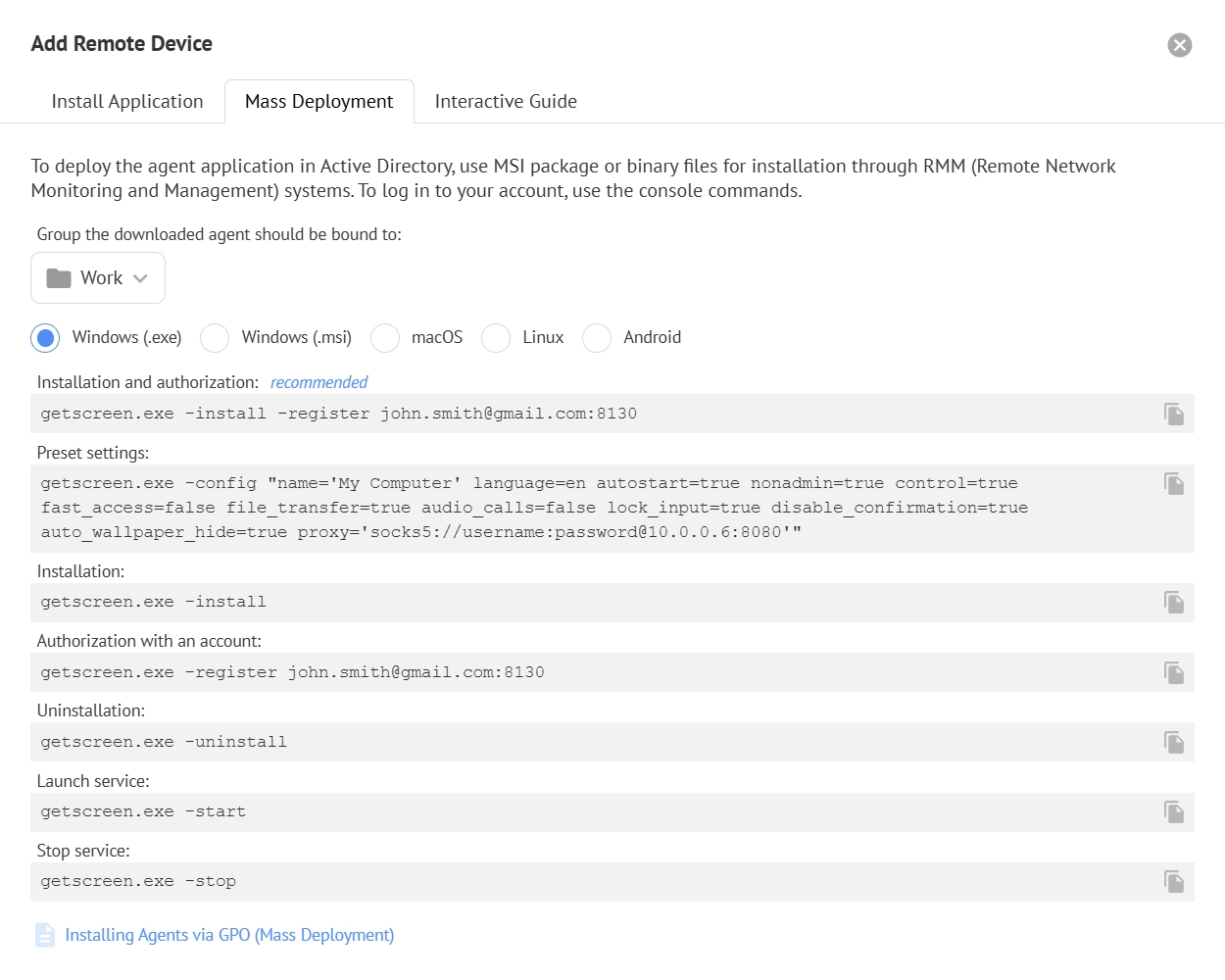
For enterprise teams, deploying agents across multiple devices is now simple. You can perform mass deployments via Active Directory using either the MSI package or scripts for RMM (Remote Network Monitoring and Management) systems.
Need to configure agents individually? No problem! Console commands let you personalize settings for each agent. You can find a full list of available commands in the Add Devices window of your personal account.
What’s New & Improved
Alongside mass deployment, we’ve introduced a host of new features and enhancements to make remote access faster, safer, and more convenient:
- Contact Administrator Button in the agent for quick support
- Forced Two-Factor Authentication & IP Whitelisting for team security
- Pagination, Grouping & Filters for better device management in your personal account
- Operator Keyboard Lock in Full-Screen Mode for focused sessions
- Mouse Lock & Relative Coordinates support—perfect for games and 3D modeling programs
- Accelerated File Transfer for faster productivity
- Rebooting in Safe Mode for troubleshooting
- Connecting to RDP Sessions directly from Getscreen.me
- MacOS Data Transfer Acceleration for Apple users
- Bug Fixes to ensure smoother performance