6 Reasons to Use Remote Access Software for Small Business
Remote work, distributed teams, and digital services have changed how small companies operate. Devices are no longer located in a single office. Teams work from different locations and stay lean. Resources remain limited. Every tool must deliver clear value without adding complexity. Clients expect faster support.
These changes explain why a reliable and easy-to-use remote access service has become an essential tool for small businesses rather than an optional one.
Online remote access platforms like Getscreen.me help small teams manage remote devices, support clients, and maintain operations without heavy infrastructure. In this article, we will explain why small businesses need remote access tools and how a cloud-based platform can deliver real value without increasing costs or complexity.
Why Small Business Needs Remote Access Software
Small businesses face constant operational pressure. Teams stay small. Specialists handle multiple roles while technical issues, limited access to devices, and a lack of IT support slow down daily work and affect revenue.
With remote access, companies get a tool to remove these bottlenecks. Today’s remote access solutions like Getscreen.me provide direct access to devices, systems, and users from any location.
To understand the real value of remote access service, let’s have a look at how modern businesses operate.
Reason 1: Remote Work Without Operational Gaps
Remote and hybrid work models have become standard across many industries. Technicians may access systems from home, while business owners need visibility and control over operations.
Remote access software allows teams to connect to office computers from anywhere. Work continues without interruption. All members are aligned.
This flexibility reduces downtime and improves productivity. A small design agency, for example, can access project files stored on office machines without moving large files across multiple platforms.
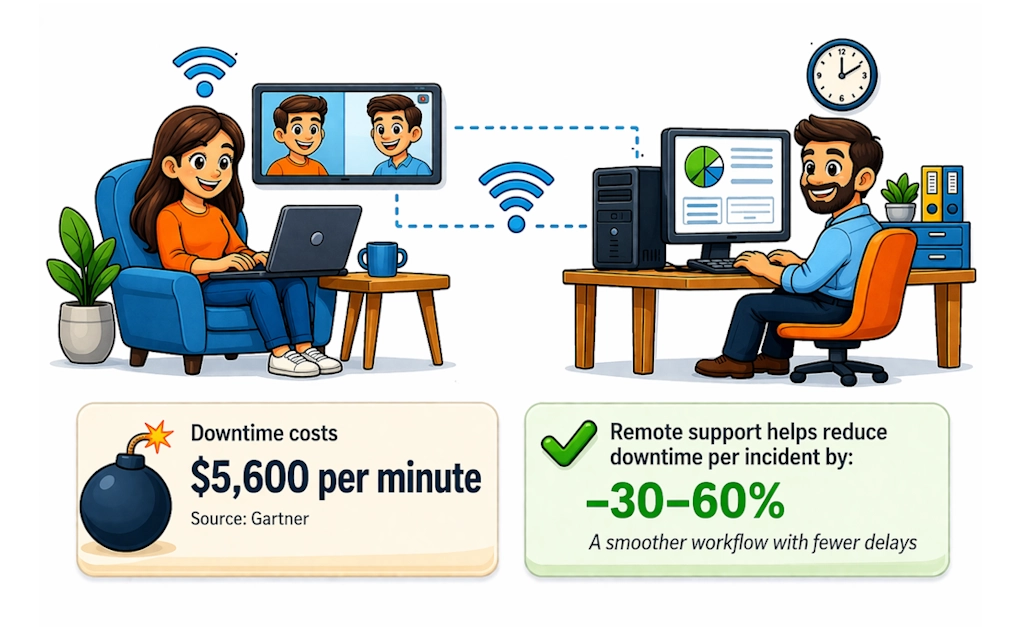
It might be crucial for smaller companies. According to a Gartner report , downtime has become extremely expensive, costing up to $5,600 per minute.
Note
Remote support helps reduce average downtime per incident by 30–60% ensuring a smoother workflow with fewer delays.
Reason 2: Faster Technical Support
Small businesses rarely have dedicated IT departments. Every time a technical issue appears, they directly affect operations.
A remote access app allows immediate troubleshooting without physical presence. This is how it works:
- A support specialist remotely connects to a device.
- He diagnoses the issue.
- Then a technician resolves it in real time.
This reduces downtime and prevents revenue loss. Fast reaction to incidents becomes a critical advantage.
Example
A small eCommerce store experiencing technical issues with the checkout process or a shopping cart can fix the problem within minutes rather than waiting for on-site support.
This is how we logically approach the third reason.
Reason 3: Cost Reduction Compared to On-Site Support
On-site technical support creates direct and indirect costs. Travel time, transportation expenses, and scheduling delays increase the total cost of each incident. Resolving a simple issue may require several hours or even days.
Remote access software for small businesses removes these obstacles. A technician connects instantly and starts troubleshooting without travel. Most issues are resolved during the first session.
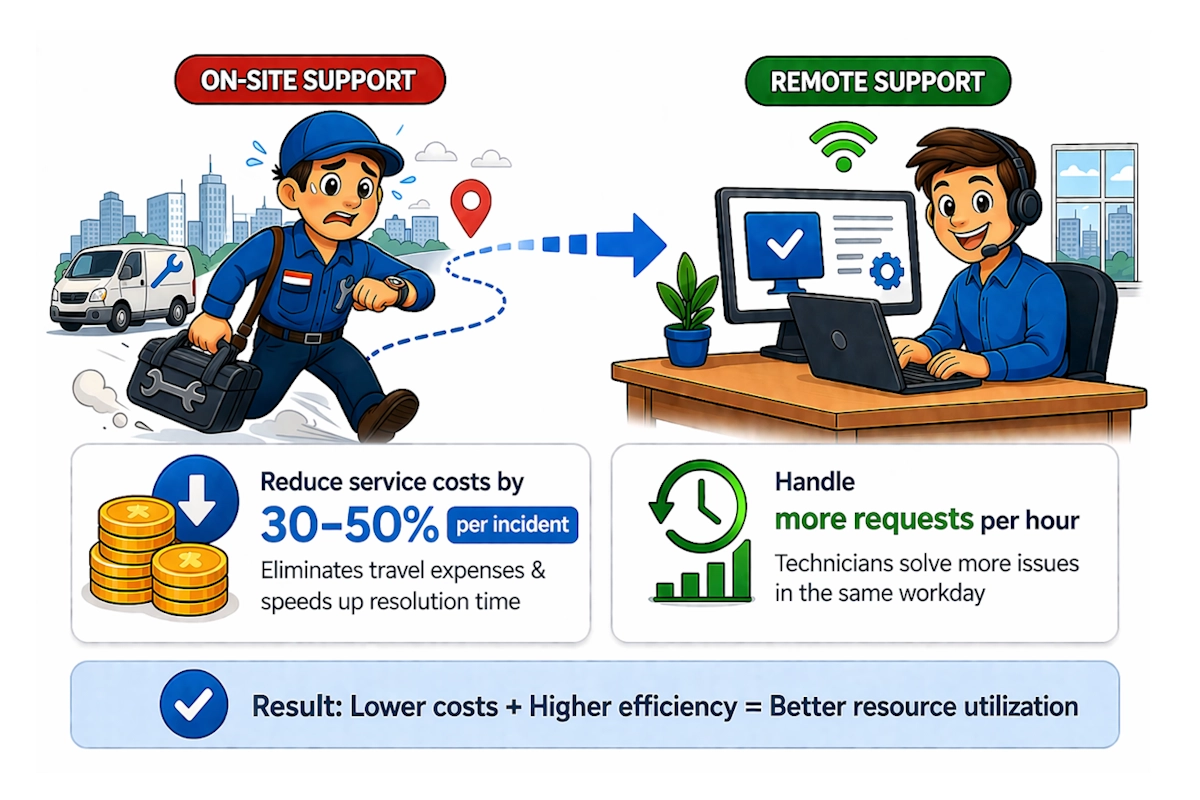
This difference has a measurable financial impact. Industry estimates show that remote support can reduce service costs by 30–50% per incident, mainly by eliminating travel and reducing resolution time. At the same time, technicians handle more requests within the same working hours, which improves overall resource efficiency.
For small businesses, where budgets remain tight, this cost advantage becomes critical. Lower support costs combined with higher efficiency directly improve operational margins.
Example
Instead of spending half a day on a single on-site visit, a technician can resolve several client issues remotely at the same time. This increases service capacity without increasing headcount.
Reason 4: Centralized Device Management
Small businesses often operate multiple devices across different locations. Managing these systems manually creates inefficiencies.
Remote access programs provide a centralized control environment. Business owners monitor devices, access files, and manage systems from one place.
This approach improves visibility and control.
Example
For example, a small accounting firm can manage office computers, remote laptops, and client systems without switching between different tools.
Reason 5: Improved Customer Support Experience
Customer expectations continue to rise. Clients expect fast responses and clear solutions without long back-and-forth communication. Delays or unresolved issues often lead to frustration and lost revenue.
This risk is measurable. Studies show that up to 50–60% of customers switch to a competitor after a poor support experience, while around 90% say customer service directly influences their loyalty to a brand. For small businesses, each lost client has a visible impact on revenue.
Reason 6: Scalability for Growing Teams
Small businesses aim to grow. Tools must scale with the company.
Integration of remote access services allows companies to add devices, users, and access points without complex infrastructure changes.
This flexibility supports business expansion.
Note
A startup can begin with a few devices and gradually scale operations without replacing the system. Actually, business gets a chance to scale as it grows.
Key Benefits of Using Remote Access Software for Small Business at a Glance
The advantages of remote access apps for small businesses become clearer when summarized.
| Benefit | Value for Small Business |
|---|---|
| Remote work enablement | Teams access systems from any location |
| Faster support | Issues resolved in real time |
| Cost efficiency | Reduced travel and IT expenses |
| Centralized management | Control all devices from one interface |
| Better customer service | Faster issue resolution improves satisfaction |
| Scalability | Grow without infrastructure limits |
Why Getscreen.me Fits Small Business Needs
Small businesses need tools that work right here right now without setup, overhead, or hidden costs. Getscreen.me is built exactly for that.
The platform meets small business requirements through a cloud-based architecture that removes technical barriers.
Try how fast your team can resolve issues, support clients, and stay in control with our solution. Start for free with a full-featured Business trial. All features unlocked, no credit card required.
Fast Setup Without Technical Expertise
Small businesses often lack dedicated IT specialists. Complex software creates additional challenges and costs.
Getscreen.me provides a simple onboarding process. A user registers, accesses the dashboard, and starts connecting devices within minutes.
This approach removes the need for:
- server installation;
- network configuration;
- complex setup procedures.
Example
A small marketing agency can start supporting client devices on the same day without hiring technical experts.
All Tools in One Browser-Based Dashboard
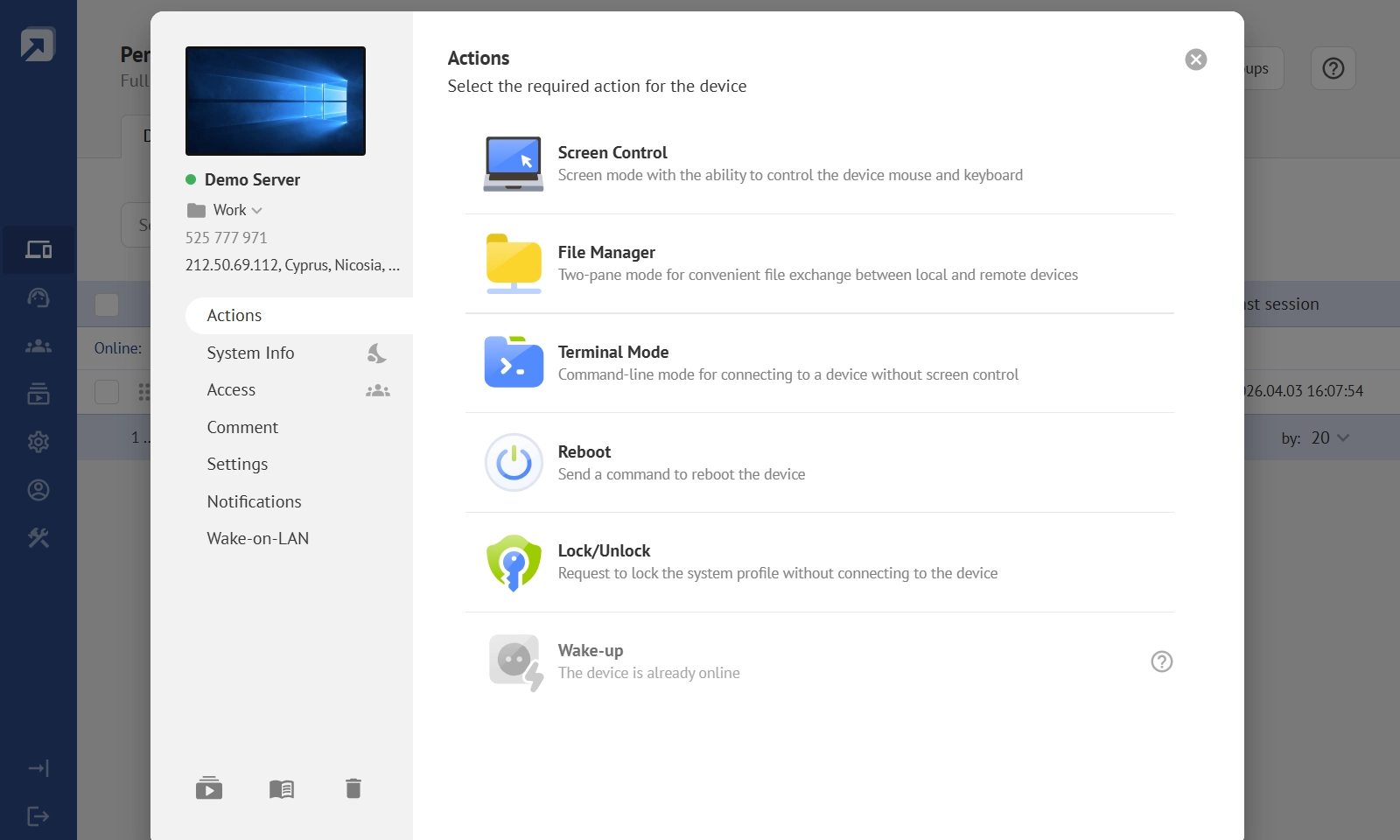
Connect brings all device management tools together in a unified, intuitive interface. From the moment they log in, teams gain full access to a device’s screen, file system, and essential system functions. Technicians do not need to dig in a complex setup or dedicated infrastructure.
All operations are performed remotely. No need for on-site visits in case of a technical issue. This significantly reduces logistics costs and minimizes downtime. Real-time support ensures fast problem solving. It turns into an essential advantage when working with distributed infrastructure or remote teams.
The remote access application is flexible in how it can be used. Whether through the cloud or as a desktop program, specialists can manage devices from a browser or an installed app, depending on their preference.
Key capabilities include:
- Remote device control and screen access.
- File management and system-level operations.
- Reboot and device locking scenarios.
Teams can monitor all devices in a unified dashboard, giving specialists instant visibility into their status. They can quickly connect and perform necessary actions without switching between multiple systems.
Note
A support agent can handle multiple client requests without switching between applications. The result is faster workflows and fewer operational errors.
Scalability Without Predictable Costs
Connect is designed to scale with your business. It does not require building and maintaining your own IT infrastructure. Companies can roll it out gradually, starting with a basic setup that covers their immediate needs.
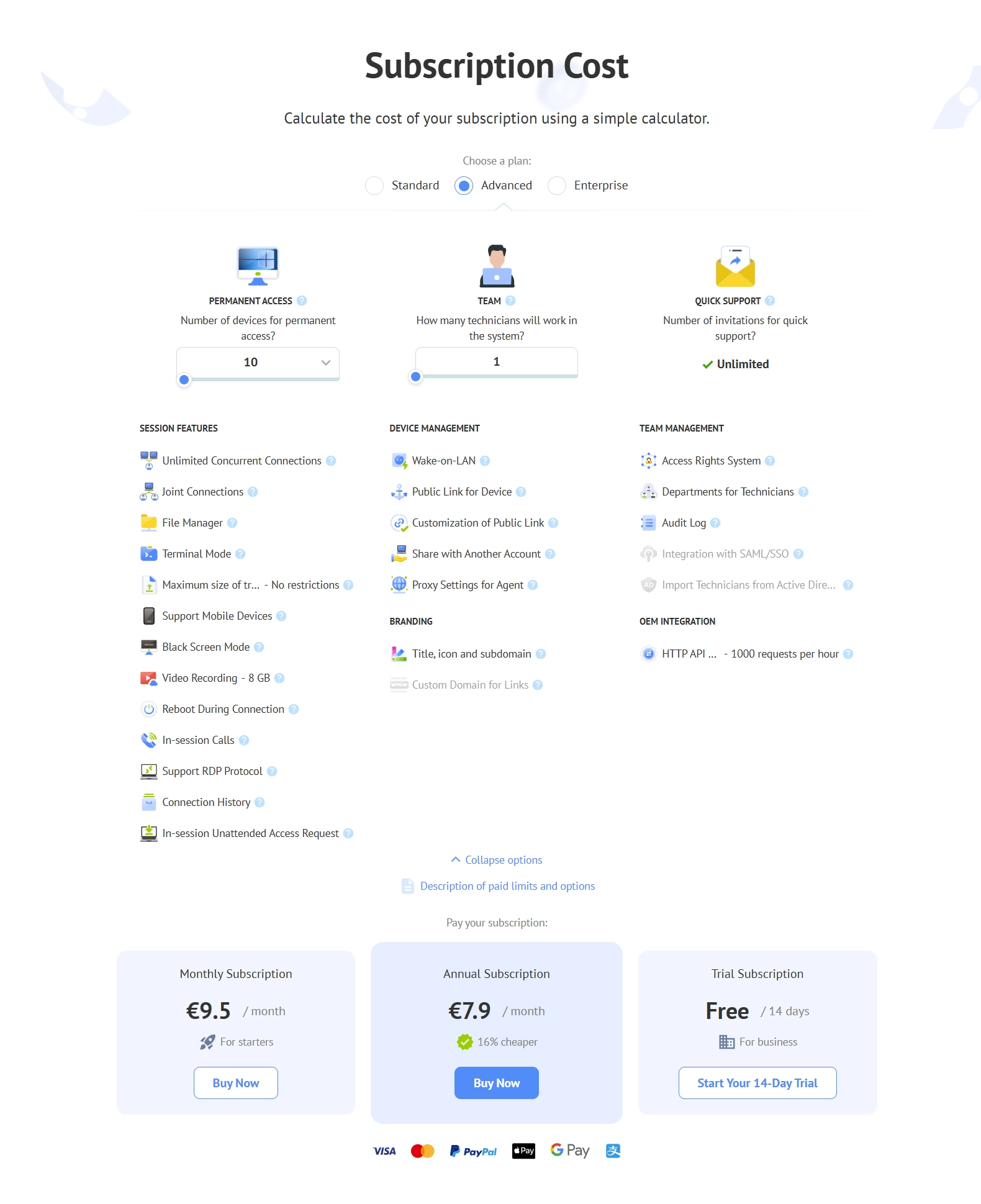
Small businesses can start with just a few devices and a small support team without heavy upfront investment or additional IT overhead. As the business grows, companies may process more devices, more users, and more customer requests.
Instead of expanding internal infrastructure or hiring large IT teams, organizations can simply adjust their Connect plan to add more technicians, increasing device limits, and extending capabilities as needed. You can calculate the subscription cost and decide on the most suitable plan for a start.
This approach allows businesses to stay flexible while keeping costs and complexity under control.
Example
A small support team can expand its operations and manage more clients without increasing technical complexity. With Connect, scaling becomes a straightforward process. Teams can focus on growth instead of infrastructure management.
Integration With Business Tools
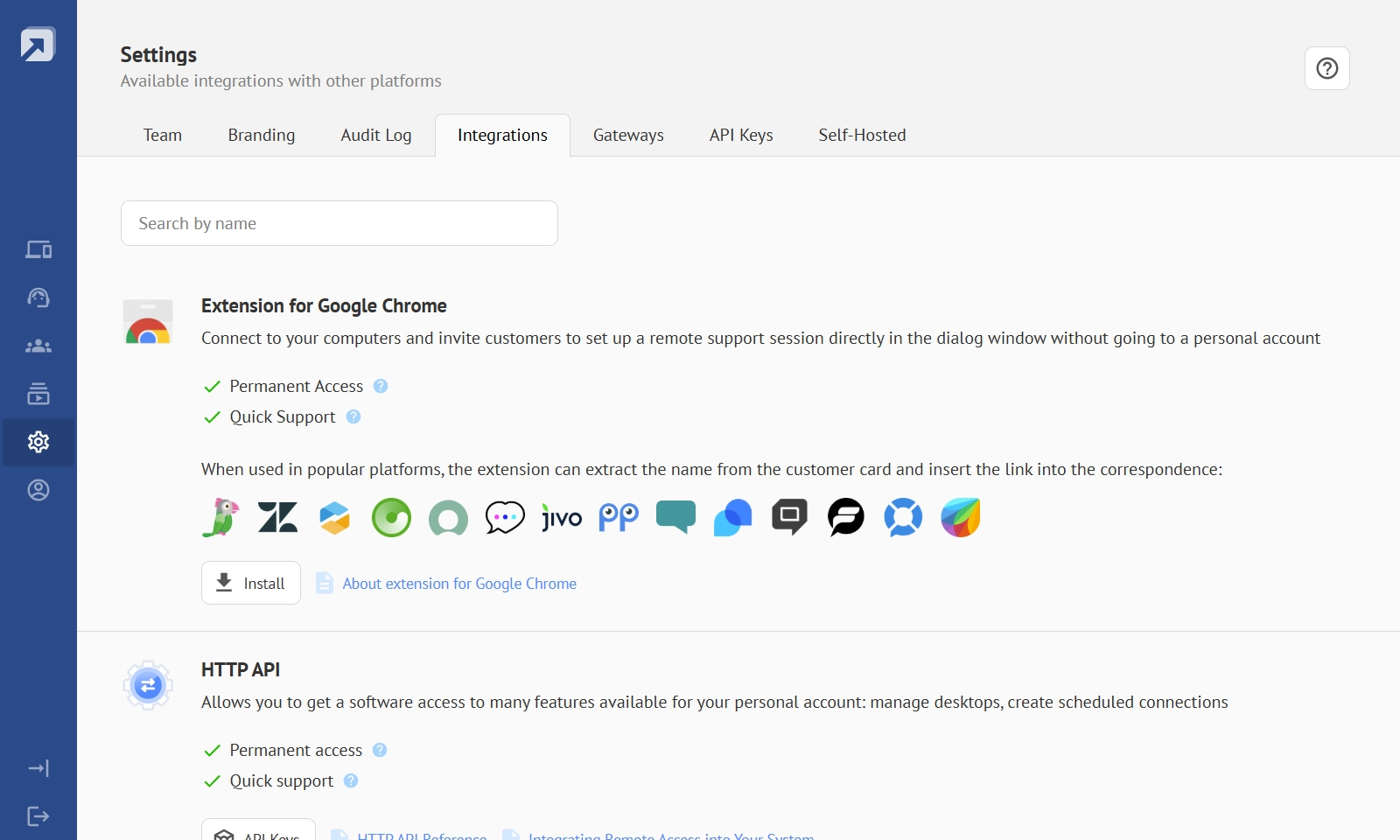
Small businesses rely on multiple platforms such as CRM systems and helpdesk tools. Getscreen.me supports integrations through API and browser extensions. These integrations connect remote access directly with existing workflows.
Note
A support agent can initiate a remote session from a CRM interface, reducing task switching.
No Need for Dedicated IT Staff
Reduced dependency on technical specialists is a crucial factor for small business. Getscreen.me removes the need for infrastructure management. The platform handles updates, server maintenance, and system reliability.
Note
Business owners can focus on operations instead of technical maintenance. A small company can operate like a larger organization without hiring additional staff.
The Bottom Line
Remote access tools for small businesses supports remote work, improves customer service, and reduces operational costs.
Getscreen.me is an example of how remote access software can adapt to small business requirements. The platform combines fast setup, centralized management, and flexible pricing in a single solution.
Small businesses benefit from tools that reduce complexity and support growth.