Self-Hosted Remote Access Software: When Full Infrastructure Control Matters
Cloud services have made remote support easier than ever. A technician can connect to a device in seconds without worrying about servers, maintenance, or network architecture. For many businesses, this model works perfectly.
However, some organizations operate under different requirements. They may process sensitive information, work in isolated environments, or need complete control over their infrastructure. In these cases, a traditional SaaS platform may not provide the flexibility, performance, or level of control they need.
This is where a self-hosted remote access solution becomes a more valuable alternative.
What Is Self-Hosted Remote Access?
A Self-Hosted Server is a specially packaged version of a cloud-based remote access platform. It can be deployed entirely within a company's own infrastructure. Instead of using vendor-managed servers in the cloud, the business hosts and manages every component itself.
The difference between SaaS and self-hosted deployment is simple:
- With SaaS, the vendor manages the infrastructure, updates, and data processing.
- With Self-Hosted, the company owns and controls the entire environment.
This means all connection management, data storage, and configuration remain inside the organization's network perimeter. The system can even operate in a fully isolated local network without access to the public Internet.
For many enterprises, this level of autonomy is a fundamental business requirement.
How Self-Hosted Remote Access Works
At its core, the system consists of a central server and several autonomous components that work together to provide remote access.
The server itself manages user accounts, agent registrations, permissions, and connection coordination. Additional components handle specific tasks such as file storage, image processing, video session recordings, and communication routing.
One of the most important components is the proxy server. Under normal conditions, a technician and a remote device communicate directly through a peer-to-peer (P2P) connection. This provides excellent speed and minimal latency.
However, direct communication is not always possible. Firewalls, network restrictions, or strict security policies may block P2P connections. In these situations, traffic is automatically routed through the Proxy Component.
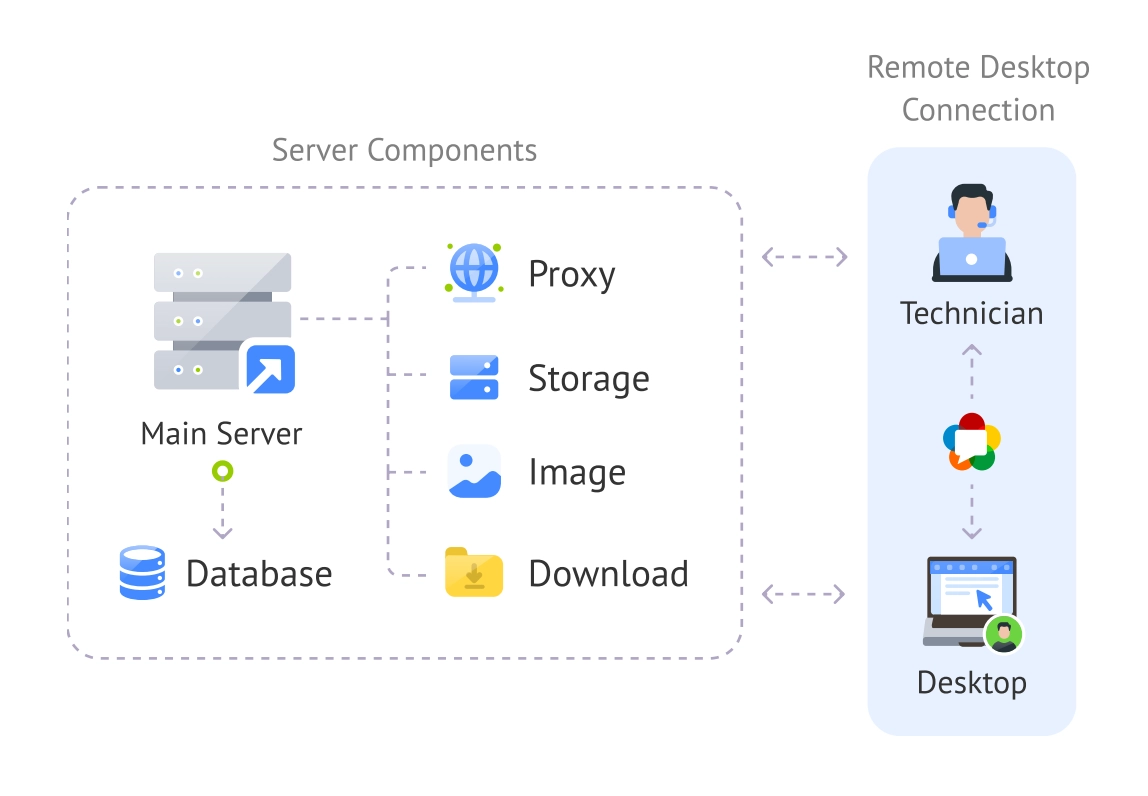
Because the entire infrastructure belongs to the customer, additional proxy servers can be deployed wherever they are needed. An enterprise with offices in North America, Europe, and Asia can place proxy servers close to its users and technicians, significantly improving connection quality and reducing latency.
Important
This architecture gives businesses something cloud platforms cannot always guarantee: the ability to design remote access around their own network conditions.
Why System Requirements Matter
The minimum system requirements for the main server are straightforward:
- Debian or Ubuntu;
- 8 GB RAM;
- 32 GB of storage;
- 4 CPU cores.
At first glance, these numbers may seem modest. However, remote access systems process a significant amount of real-time information. Every session requires authentication, connection management, data transfer, logging, and sometimes video recording.
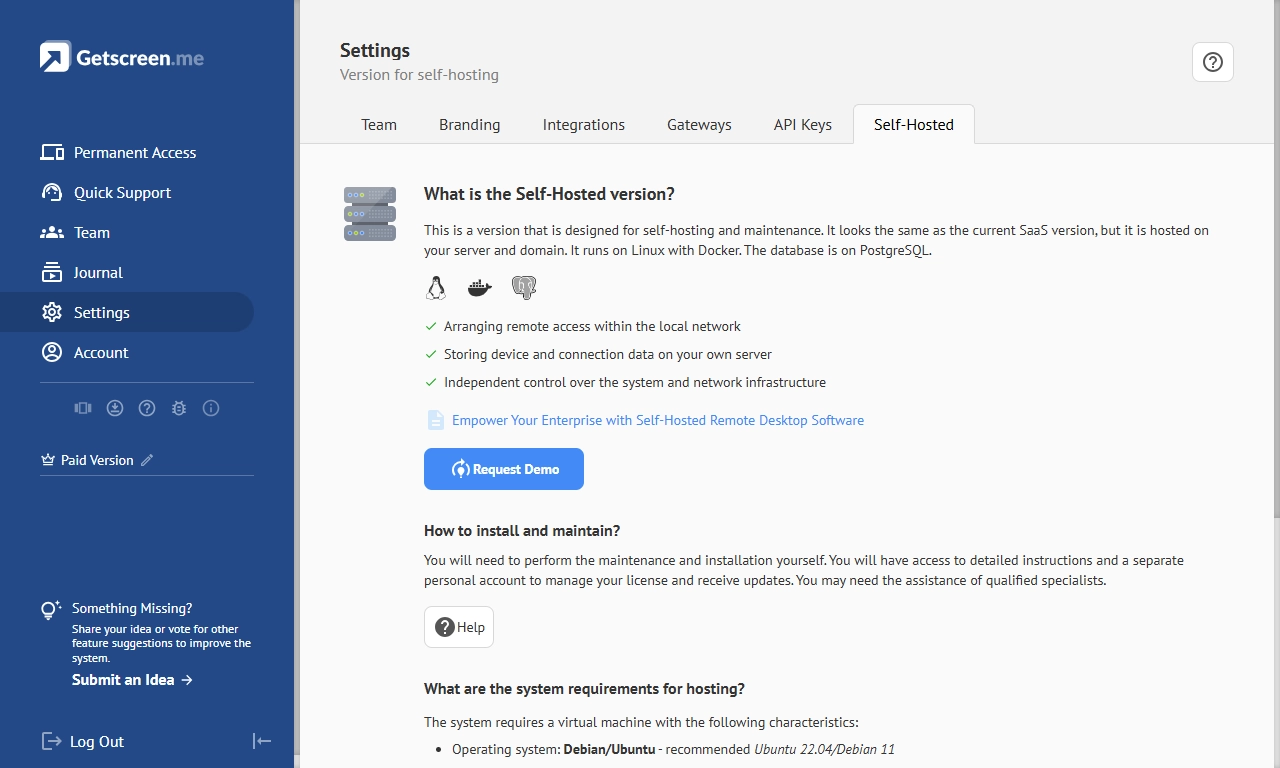
Insufficient resources can lead to slow response times, increased latency, and reduced connection quality during periods of heavy usage.
System Requirements
The requirements become even more important when an organization plans to support hundreds or thousands of devices. Additional resources allow the infrastructure to scale smoothly without affecting the user experience.
Deployment and Maintenance: Built for Enterprise Infrastructure
Deploying a Self-Hosted Server is not that complicated. The platform uses Docker-based deployment, which simplifies installation and reduces configuration complexity. Instead of manually setting up every service, administrators can launch the entire environment quickly through containerized components.
Maintenance is also designed with enterprise environments in mind.
Automated SSL certificates simplify secure communications, while resource monitoring helps administrators track system health and identify potential bottlenecks before they affect users.
Regular updates ensure that both server and agent software remain optimized and secure. Because the infrastructure is controlled internally, organizations can decide when and how updates are applied, avoiding unexpected changes to critical systems.
Offline deployment is another important advantage. Some companies operate in environments where Internet access is restricted or prohibited entirely.
Important
Self-Hosted remote access keeps functioning securely within an isolated local network, making it suitable for highly regulated industries and secure facilities.
Why Performance Improves with Self-Hosting
Remote support depends heavily on speed and connection quality. Even small delays can make troubleshooting difficult and reduce technician productivity. In cloud environments, businesses often have limited influence over where infrastructure is located or how traffic is routed.
A self-hosted deployment changes this.
Organizations can deploy servers close to technicians and end users, reducing latency and improving responsiveness. Additional TURN and proxy servers can be added to distribute workloads and maintain high-quality connections, even when direct peer-to-peer communication is unavailable.
For companies that support geographically distributed teams, this ability can improve the remote support experience.
OEM Integration That Fits Existing Systems
Large organizations rarely work with isolated tools. Remote access platforms often need to integrate with existing portals, service desks, customer applications, and internal systems.
The Self-Hosted edition supports this through HTTP API and iFrame integration capabilities. A company can install the remote access agent on customer devices, generate connection links through the API, and embed remote sessions directly into its own applications or web portals.
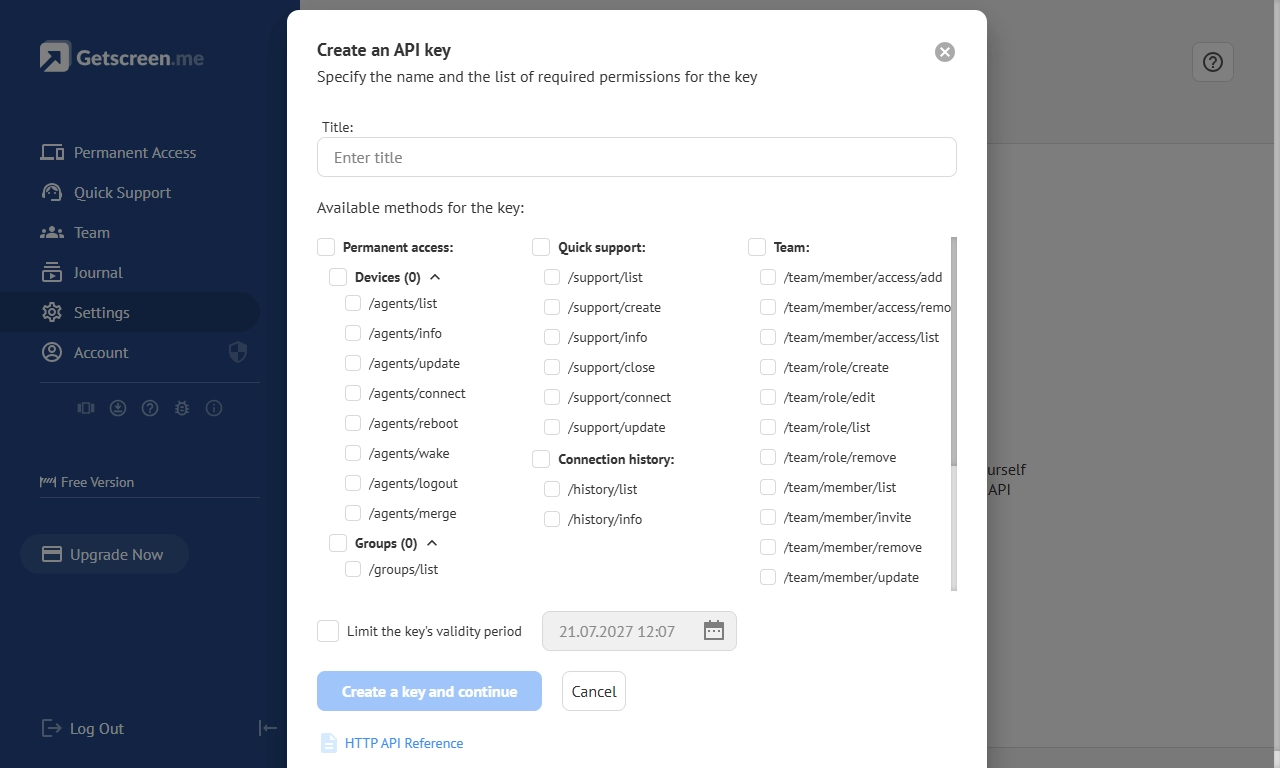
This creates a seamless user experience. Employees and customers operate within familiar interfaces while technicians gain secure remote access capabilities in the background.
Important
This approach can simplify workflows and reduce operational complexity for software vendors, managed service providers, and enterprise IT teams.
Security Customization Beyond Standard Settings
In a self-hosted environment, organizations are not limited to predefined configurations. They can tailor security settings according to internal policies and regulatory requirements.
This includes:
- Customizable ports and TLS encryption;
- IP whitelisting and multi-factor authentication;
- HTTP Strict Transport Security (HSTS);
- Content Security Policy (CSP);
- Password expiration policies;
- Browser restrictions;
- Anonymous connection prevention.
Most importantly, no external provider has access to the connection management server or the storage containing sensitive information.
Important
If a company handles confidential records or critical infrastructure, this level of control significantly reduces risks of fraud and simplifies compliance requirements.
Streamlined Management at Scale
Managing remote access across hundreds or thousands of users can be complicated. The Self-Hosted Server simplifies administration with centralized management tools that support user onboarding, SSO and LDAP integration, and mass agent deployment.
Instead of manually configuring individual devices, administrators can deploy and manage large environments through automated processes.
This saves time, reduces configuration errors, and allows IT teams to focus on strategic tasks rather than repetitive administration.
Data Access Control and Visibility
Remote access involves sensitive information. Financial records, healthcare data, intellectual property, and customer information all require additional safeguards.
Self-Hosted Server provides extensive visibility into remote activities through:
- Video session recordings.
- Agent previews.
- Connection history.
- Chat history.
These features create an audit trail that helps organizations investigate incidents, verify compliance requirements, and monitor access to sensitive systems.
Branding That Builds Trust
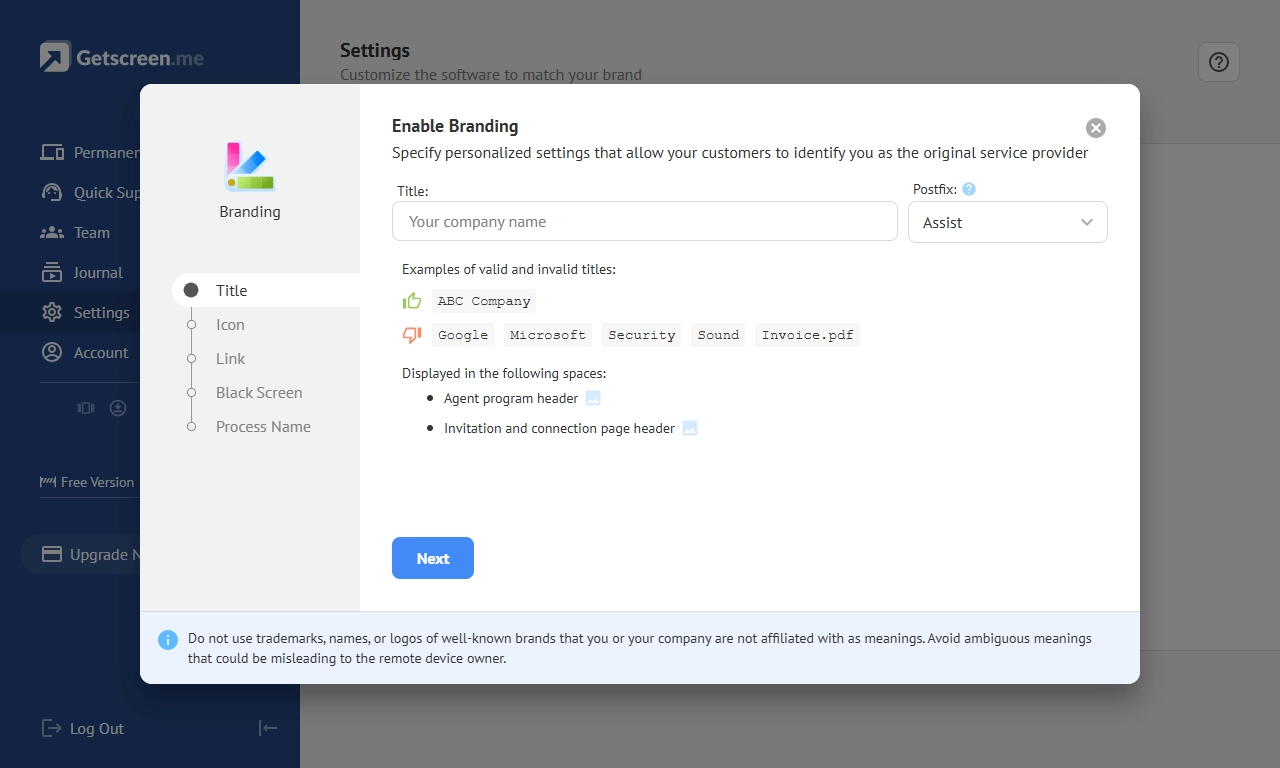
The Self-Hosted edition allows organizations to customize the remote access experience with their own branding, including logos, icons, custom subdomains, and personal domains.
Instead of downloading software from an unfamiliar source, users see a familiar company identity throughout the entire support process.
Branding may seem like a small detail, but it can significantly improve user confidence and strengthen brand credibility.
Which Businesses Benefit Most from Self-Hosted Remote Access?
Small teams that prioritize simplicity and rapid deployment may find a cloud platform entirely sufficient. However, Self-Hosted remote access becomes particularly valuable for organizations that need:
- Full control over their infrastructure and data.
- Operation within isolated or restricted networks.
- Advanced security customization.
- Integration with internal systems and applications.
- Geographic optimization for performance.
- Compliance with strict industry regulations.
These requirements are common in:
- IT service providers and managed service companies.
- Healthcare organizations.
- Financial institutions.
- Educational institutions.
- Government agencies.
- Industrial and critical infrastructure operators.
- Large enterprises with distributed offices and complex networks.
Companies can request a free demo to check the self-hosted remote access software in action right from their Getscreen.me dashboard in the settings section.
Important
For these organizations, self-hosting is the only way to achieve the necessary balance of performance, security, and operational control.
Final Thoughts
The cloud has transformed remote support, but it is not the perfect answer for every environment. Some businesses need complete ownership of their infrastructure, greater control over security, and the flexibility to design remote access around their own operational requirements.
A Self-Hosted Server delivers exactly that. It combines autonomous operation, advanced customization, scalable architecture, and enterprise-grade security. Organizations can build a remote access environment that aligns with their infrastructure rather than adapting their infrastructure to the limitations of a cloud service.