
Summer Holiday Remote Access Pack - 3 Months at $29 Only
Get your family browser-based remote access for 4 workspaces and 10 devices with more Getscreen.me features at only $29 for 3 months. A limited seasonal holiday offer for the entire family.
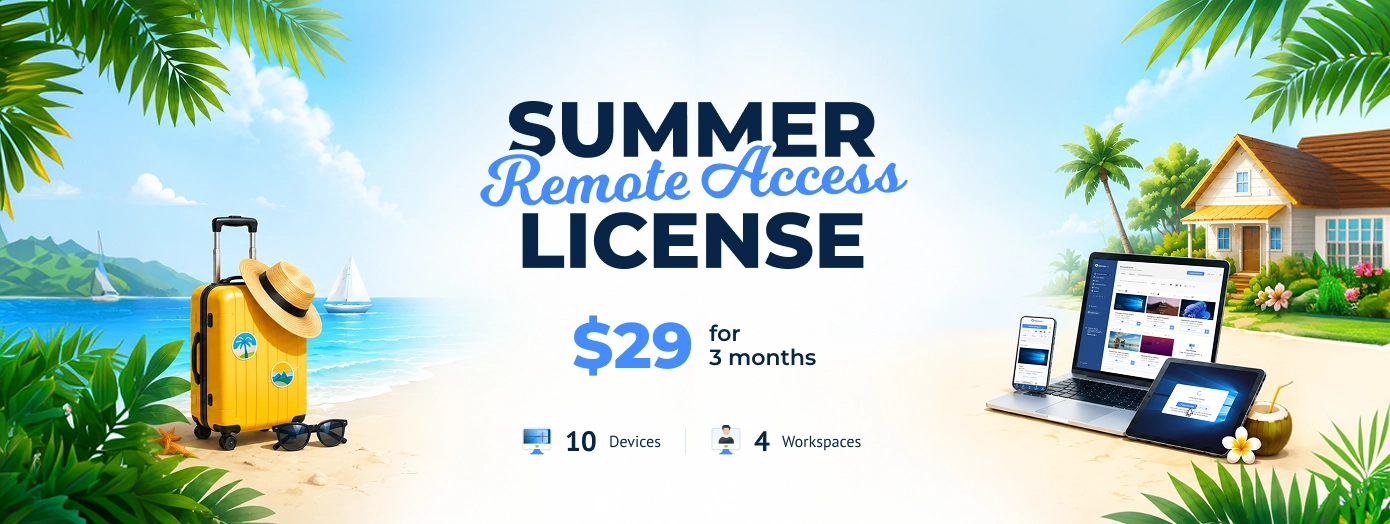
Holidays change the way we work and use our computers. Some leave for long vacations. Others move between cities, work remotely from hotels, spend weekends at summer houses, or travel with only a phone and a backpack.
Meanwhile, crucial data often stays on a home or office computer: forgotten work files and passwords, software and browser sessions, family photos and media libraries. Nobody wants to be left halfway through a trip with an essential document sitting on a desktop computer hundreds of miles away.
The new seasonal offer from Getscreen.me gives secure browser-based remote access without VPNs, complicated software, or long-term contracts.
Let’s have a quick overview of what’s included.
| Feature | Details |
|---|---|
| Price | $29 |
| Duration | 3 full months |
| Seats | 4 active workspaces |
| File Transfer | Up to 5 GB per file |
| Session Recording | 1 GB included |
| Devices | 10 remote devices |
| Quick Support | 5 invitations per day |
Features Included
| Feature | Details |
|---|---|
| Wake-on-LAN | Turn on your computer remotely even if it’s sleeping or powered off. |
| Black Screen Mode | Hide your remote session by turning off the screen on the remote computer. |
| Reboot During Connection | Restart your computer remotely without losing access. |
| In-session Calls & Chat | Talk or chat with the person on the remote computer directly inside the session. |
| Connection History | See your past connections and activity anytime. |
| Access from Mobile Devices | Connect to your computers from your phone or tablet using a browser. |
| Concurrent Connections | Manage and view multiple remote devices at the same time. |
| Joint Connections | Invite another user into the same remote session and work together on one screen. |
A Seasonal Offer Built For Family Holidays
Unlike regular yearly subscriptions, the Summer Remote Access License focuses on a short and practical period when people actually need remote access the most.
The offer is available during June and July. You will get a 3-months access to all Getsrceen.me features once you’ve activated the holiday license.
Useful Features
The package includes 4 workspaces for all your family members. It lets you easily support up to 10 devices with permanent remote access enabled while you are having fun during vacation. You can manage files, record sessions, access mobile browsers, and collaborate remotely if needed.
At $29 for the entire period, the offer is ideal for temporary summer needs instead of long-term infrastructure planning.
Why Remote Access Matters During Summer
Summary is always a busy season. Offices become half-empty. Teams switch to hybrid schedules. Students return home. Freelancers work from beaches, cafes, and airports. While we rest, desktop computers continue storing important information and software that mobile devices simply cannot replace.
A laptop may not contain an old project archive. A phone may not have access to licensed software installed on a home PC. A forgotten presentation may still sit on an office computer.
Remote access removes this problem completely.
Instead of carrying everything everywhere, all you need is to:
- Open a browser.
- Select the remote computer.
- Continue working as if sitting directly in front of it.
Take Your Computer with You Anywhere
Forgetting something crucial on a home PC makes us feel stressed. Sometimes it ruins plans completely.
With Getscreen.me, the home computer stays available from anywhere in the world. A forgotten document becomes a two-minute problem instead of a disaster.
This might be especially useful during business travel. Many specialists still use office desktops as their primary work environment. Some internal systems only work inside that machine. Some files never sync to cloud storage.
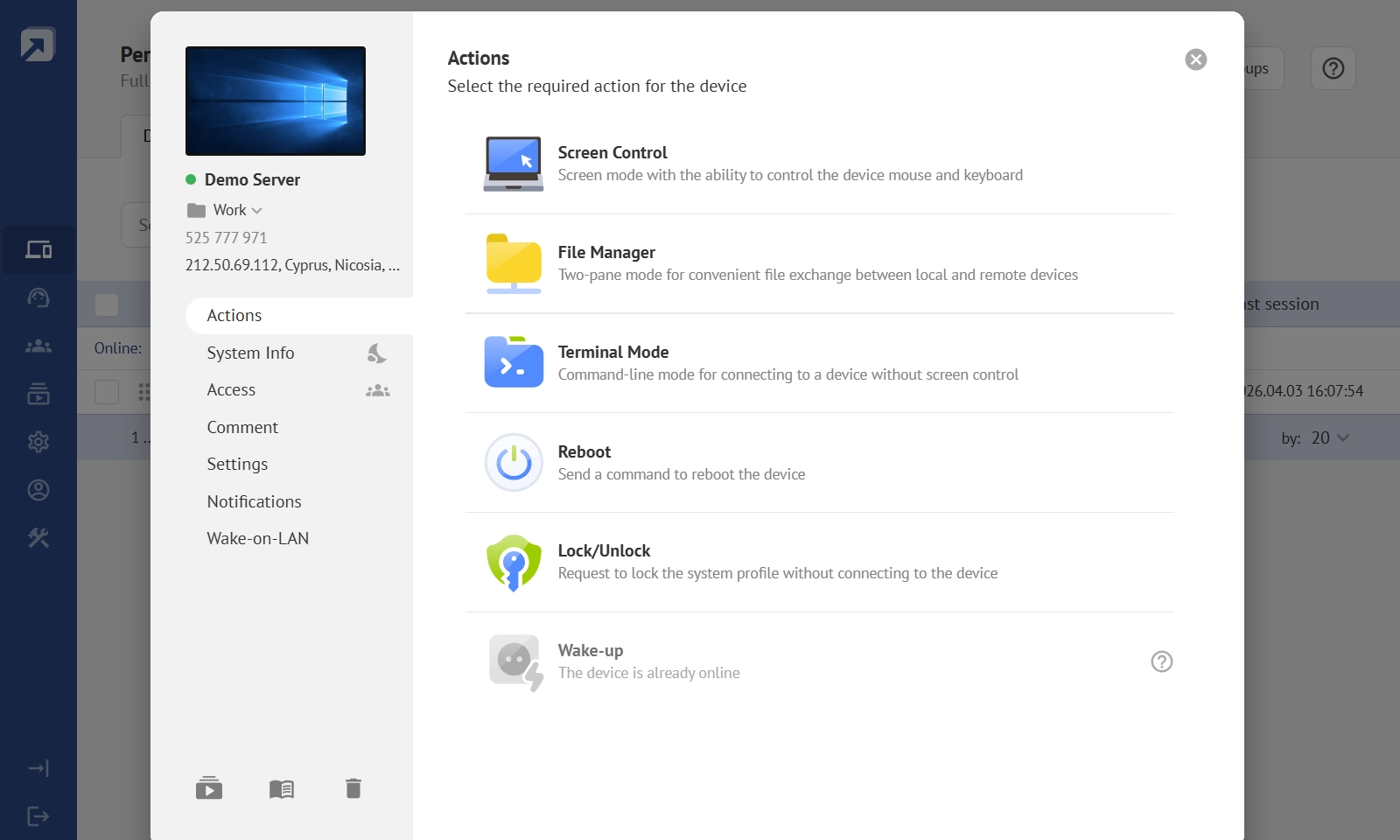
Remote access keeps everything available even while sitting in a hotel room or airport lounge.
Remote Access via Phone
People work from trains, message in airports, and urgently search for files while standing in hotel lobbies. Sometimes a laptop stays unavailable entirely.
This is where remote phone access becomes a real game changer.
The Summer License allows users to connect directly from a mobile browser without complicated configuration. Android phones, iPhones, tablets, and Huawei devices all support browser-based access.
This creates a very different kind of flexibility. A personal computer no longer stays tied to one physical location. It becomes available almost anywhere.
A Better Way To Store Personal Files
Many travelers carry sensitive files directly on their laptops during trips. Others overload cloud storage with temporary uploads before every vacation.
Remote access creates a simpler alternative.
Files stay safely on the main computer at home while remaining available remotely whenever needed. Vacation photos, work projects, family documents, large video folders, and personal archives all remain accessible without physically carrying them around.
Useful Features
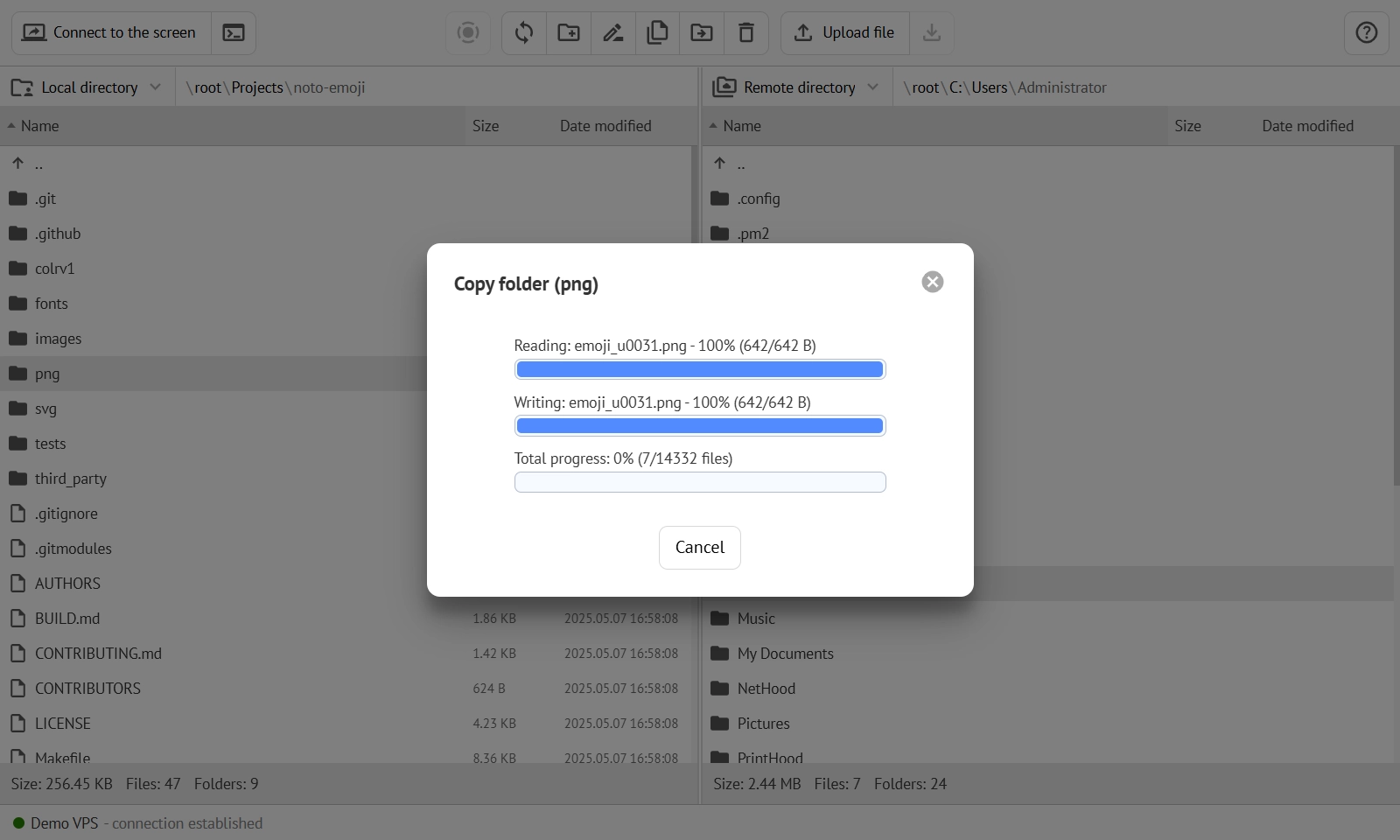
With the File Manager feature, you can move large files directly between devices without messenger limits or USB drives. You can get more practical during your summer travel.
Media, Family, Learning, And Shared Access
Remote access no longer serves only IT teams and system administrators.
Many families now use shared remote sessions to help parents with software issues, teach children online, or demonstrate programs remotely. Students use collaborative sessions for shared projects and tutoring. Friends connect together to watch media or share screens in real time.
The Summer License supports concurrent and joint connections, which means several users can view the same remote screen simultaneously. Built-in chat and call functions also simplify communication during sessions.
This turns remote access into something much more social and collaborative than traditional remote desktop tools.
A Good Fit For Temporary Teams And Seasonal Projects
Summer comes with temporary workflows that do not require yearly software subscriptions.
Freelancers launch short-term collaborations. Students build temporary teams. Seasonal businesses hire temporary staff. Startup projects run intensive summer sprints.
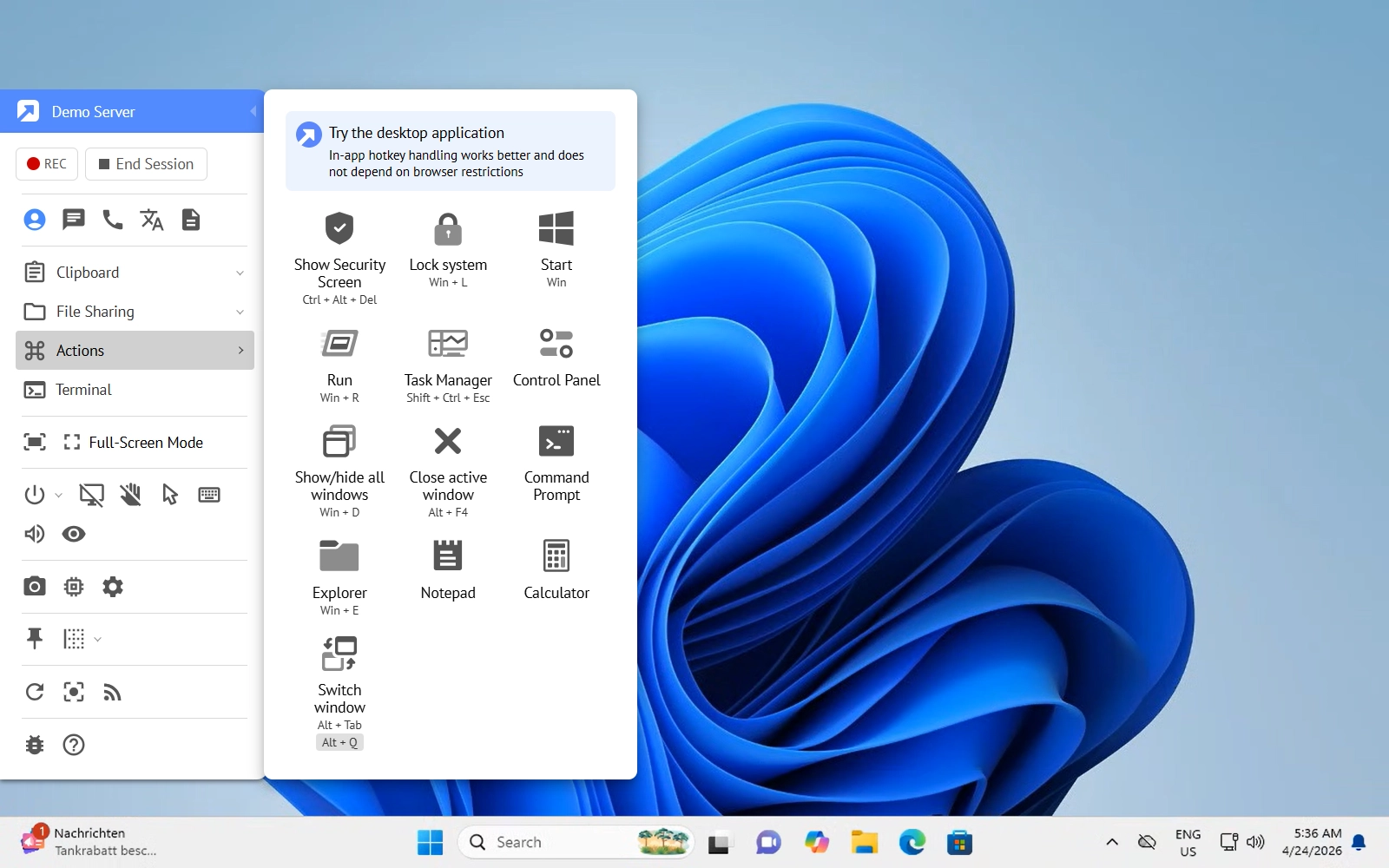
A three-month remote access license fits these situations naturally. Teams receive collaborative remote access tools without long contracts or unnecessary yearly payments.
How to Activate Your Summer License
Traditional remote access tools require VPN configuration, network setup, firewall rules, account permissions. Users may avoid these tools because setup sounds too technical.
The Summer Remote Access License removes that complexity.
Step 1. Log In or Register New Account
To activate a summer license, you need to register a new free account at Getscreen.me. If you already have one, use your email and password to log in.
Step 2. Go to the License Activation Page
Activate permanent access and enter a license key to keep your computer available whenever you need it. This allows you to connect even when nobody is near the device.
Handy Guide
Getting started with Getscreen.me is easy. It will take you just a few moments to have the agent installed on any device. From now on, you can easily access it remotely anywhere.
Step 3. Start Using Getscreen.me
Your summer license will be activated automatically. You can check details in the Account Page - Rate Plan section.
Use any laptop, tablet, or phone to open Getscreen.me in a browser. Log in and connect to your remote computer securely from almost anywhere with internet access.
Built-in features let you manage remote devices, wake up or reboot your at-home computer, collaborate with colleagues, share sessions with family and friends, manage files, and more with just a few clicks.
Handy Guide
With Getscreen.me, you can turn on or off your remote device whenever needed. All you need is to configure a built-in Wake-on-LAN feature. Just make sure your computer is connected for the web via LAN.
A Simple Way To Stay Connected This Summer
Work remotely from anywhere. Access forgotten files in seconds. Join family members online. Manage personal media while traveling. Stay connected to important devices during vacations.
Your computer remains exactly where it always was, but now it travels with you. To make the most of Getscreen.me, explore our extra discounts and special offers.
Get your Summer Remote Access License now! Available only in June and July only.