Getscreen.me Q2 2026 Updates: Custom Proxy, Access & API
This quarter, Getscreen.me introduced new ways to improve connection performance, simplify external access, and automate remote support workflows. The latest updates include Custom Proxy Server support in the Gateway Application, redesigned access settings, public access with email verification, and new HTTP API methods for teams and device groups.
Custom Proxy Server for Faster Remote Connections
Getscreen.me Gateway now supports Custom Proxy Servers, giving enterprise teams more control over how remote traffic is routed.
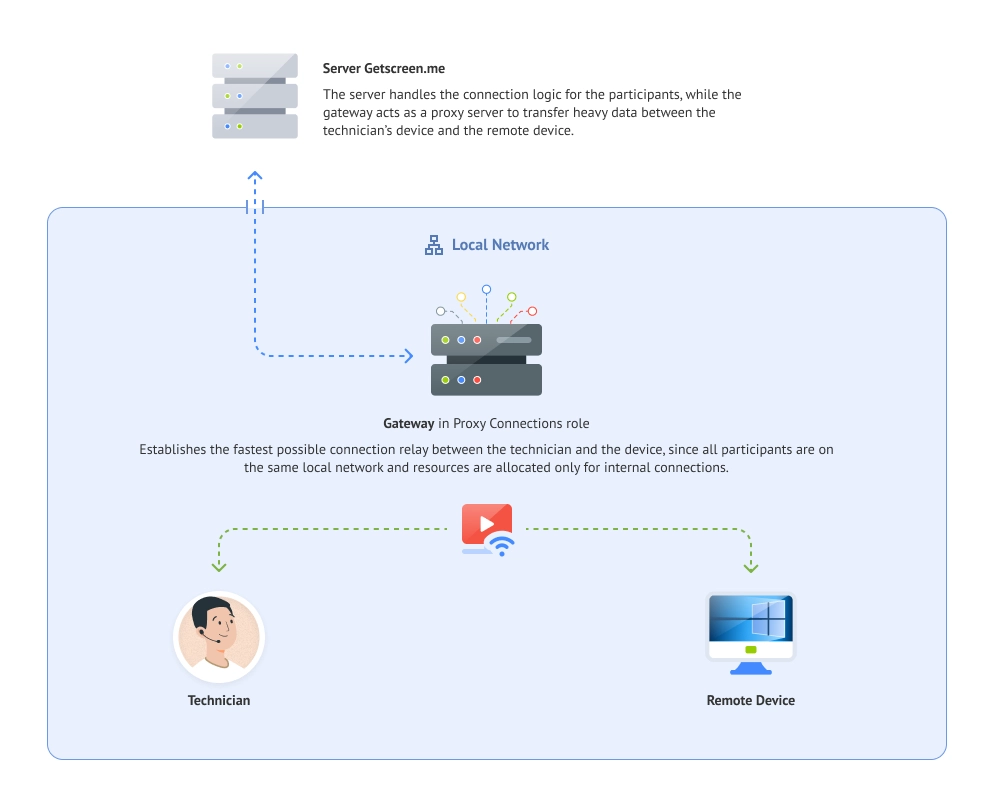
Organizations can deploy a dedicated relay server closer to technicians, offices, data centers, or remote devices. This can help reduce latency, improve session stability, speed up file transfers, and avoid inefficient network routes.
Custom Proxy supports both WebRTC and WebSocket over HTTPS, making it suitable for corporate networks with restricted connectivity, distributed teams, MSPs, and organizations managing large numbers of devices.
Customization
Teams can use a custom proxy as an additional connection route or configure their infrastructure so that all sessions go through a dedicated relay server.
Public Access with Email Verification
We redesigned the Access section in device settings to make permissions easier to manage.
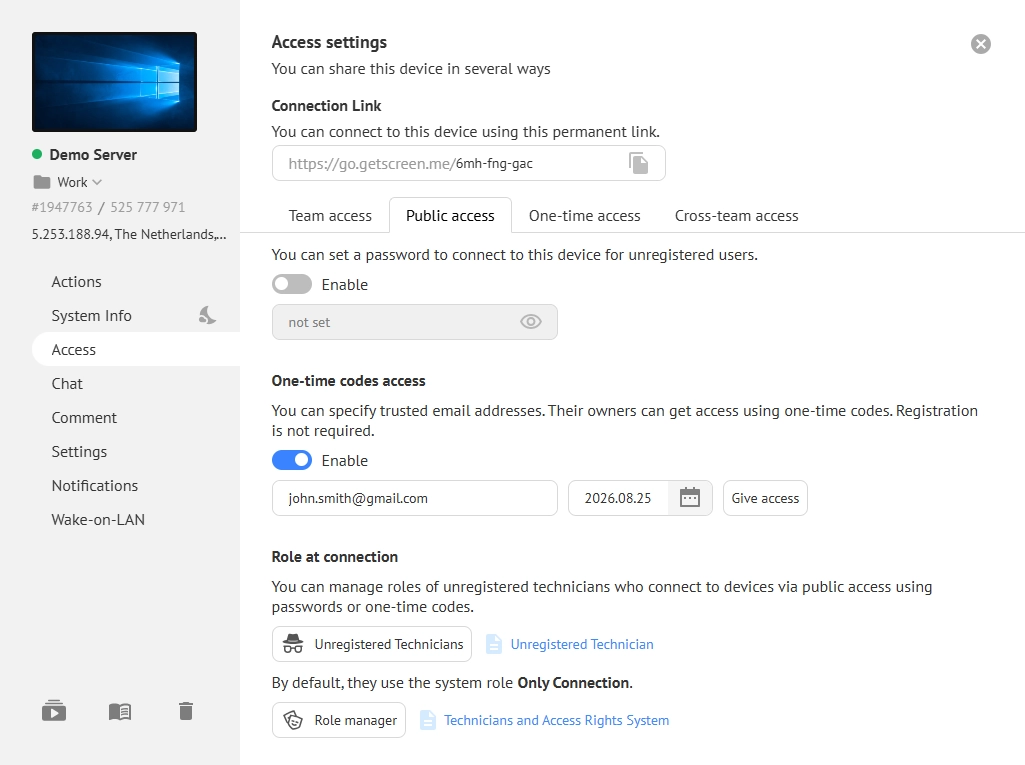
You can now grant public access to a specific email address. Users can:
- Open a unique link.
- Enter their email address.
- Receive a one-time verification code.
- Connect directly from their browser.
This makes it easier to provide temporary access to clients, contractors, and external specialists without requiring them to register an account or install additional software.
Access Management
The updated Access section also brings team access, cross-team permissions, public access, one-time links, and password-based access together in one place.
New HTTP API Methods for Teams and Device Groups
We expanded the Getscreen.me HTTP API with new methods for managing teams and device groups.
The API is now organized by system function, making it easier to find the methods you need and integrate Getscreen.me with internal systems, help desks, and service platforms.
The available API functionality covers:
- Permanent Access to manage devices, device groups, and software deployment.
- Quick Support to create and manage customer invitations.
- Connection History to retrieve information about previous remote sessions.
- Team Management to organize technician accounts, roles, permissions, and access to devices.
Automation
These updates make it easier to automate routine administrative tasks and build Getscreen.me into existing IT support workflows.
Follow Getscreen.me for more product updates, technical guides, remote access tips, and new features.