
Getscreen.me Improvement Ideas Hub: Help Us Make Remote Access Better
Every remote access workflow is different. IT teams support different environments, technicians work in different scenarios, and businesses face challenges that may not be obvious from the outside. Feedback from people who use Getscreen.me helps us understand these needs and decide how the product should evolve.
The Getscreen.me Improvement Ideas Hub is a dedicated place to share suggestions, explore ideas from other users, and discuss potential improvements. It brings product feedback into one accessible space where everyone contributes to shaping the future of Getscreen.me.
Share Your Ideas in a Few Clicks
If you have an idea for a new feature or a way to improve an existing one, you can submit it through the Improvement Ideas Hub without navigating a complicated feedback process.
To get started, open the Ideas Hub and sign in with your email address.
If this is your first visit, you’ll be asked to enter your name to complete your profile. Once you’re in, you can browse existing suggestions or share an idea of your own.
Your profile also lets you manage basic account settings, including your display name, avatar, and notification preferences.
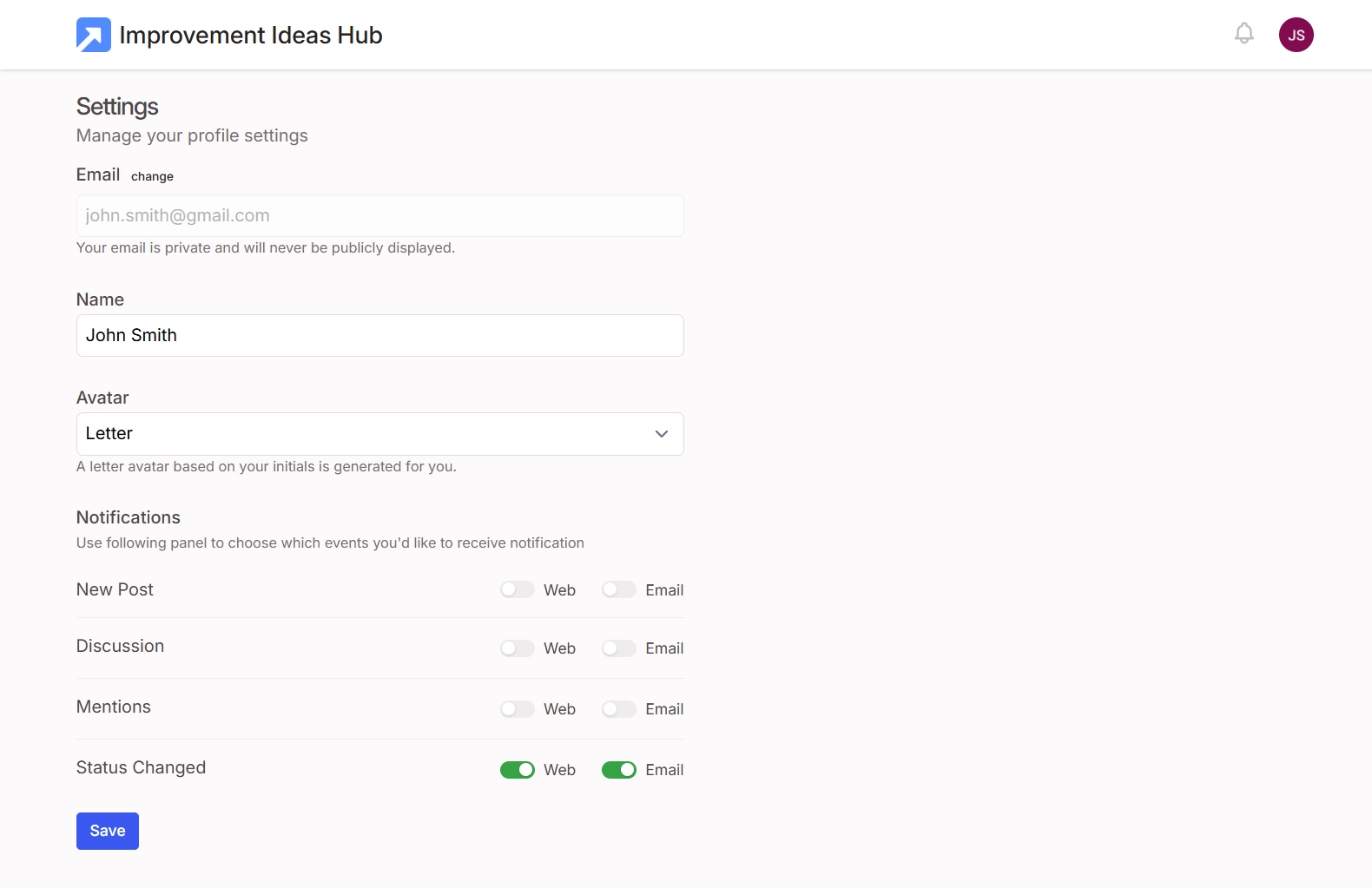
You can choose whether to receive notifications on the web or by email for:
- New posts: Stay informed when users share new suggestions.
- Discussions: Follow conversations around ideas and proposed improvements.
- Mentions: Get notified when someone mentions you.
- Status changes: Find out when the status of an idea you care about changes.
Personalization
Settings let you stay involved in the community, tailor notifications to suit your preferences, and keep track of the discussions that matter to you.
Navigate Through Existing Ideas
Before posting a suggestion, it’s worth checking whether someone has already proposed something similar. The Ideas Hub makes this straightforward with search, sorting, and filters.
You can browse suggestions by popularity or look for specific topics using the search field. Filters help you narrow the list by status, including open, planned, started, completed, declined, and other categories. You can also view your own votes to return to ideas you’ve supported.
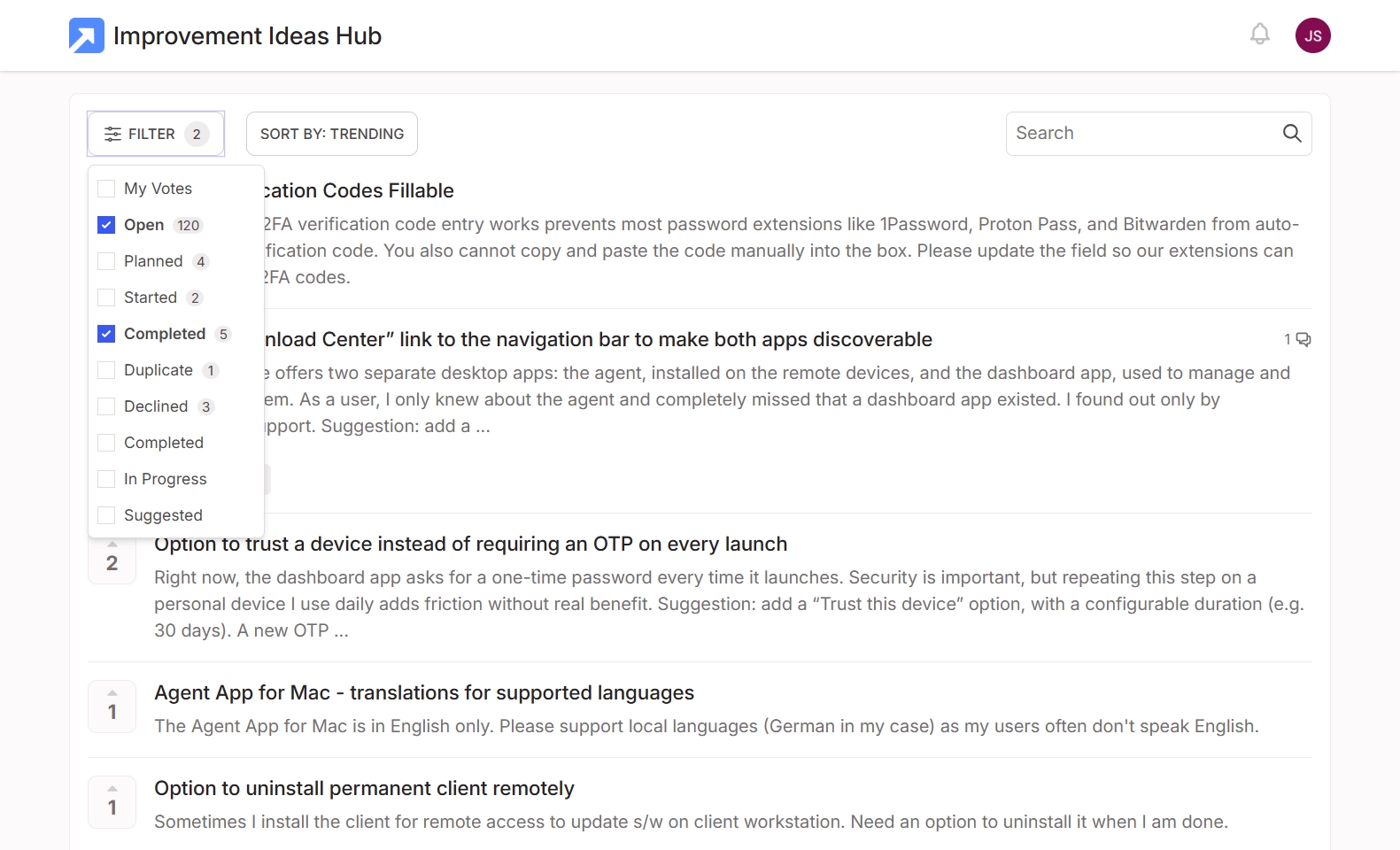
This navigation makes it easier to find relevant requests without scrolling through the entire collection. It also helps prevent duplicate suggestions and brings together users who have encountered the same problem.
Open Talk
If an idea already exists, you can vote for it or join the discussion instead of creating another post. If your use case is different or the existing suggestion doesn't fully address your needs, you can explain what is missing in the comments.
Vote, Comment, and Follow the Discussion
Submitting an idea is only one way to contribute. The Ideas Hub users can participate in the wider conversation:
- Vote for suggestions that matter to you. If you recognize an already described improvement, you can support the idea with a vote. This helps show which improvements matter to the community and gives the Getscreen.me team additional context when reviewing requests.
- Add comments and share your experience. Explain why you need a feature, describe your workflow, or provide examples of the situations you encounter. Comments let the community add context, clarify requirements, and discuss possible improvements.
- Follow ideas to stay informed. Follow individual suggestions and receive updates as the discussion develops. This is particularly useful when a request affects your daily work and you want to know when its status changes or new information becomes available.
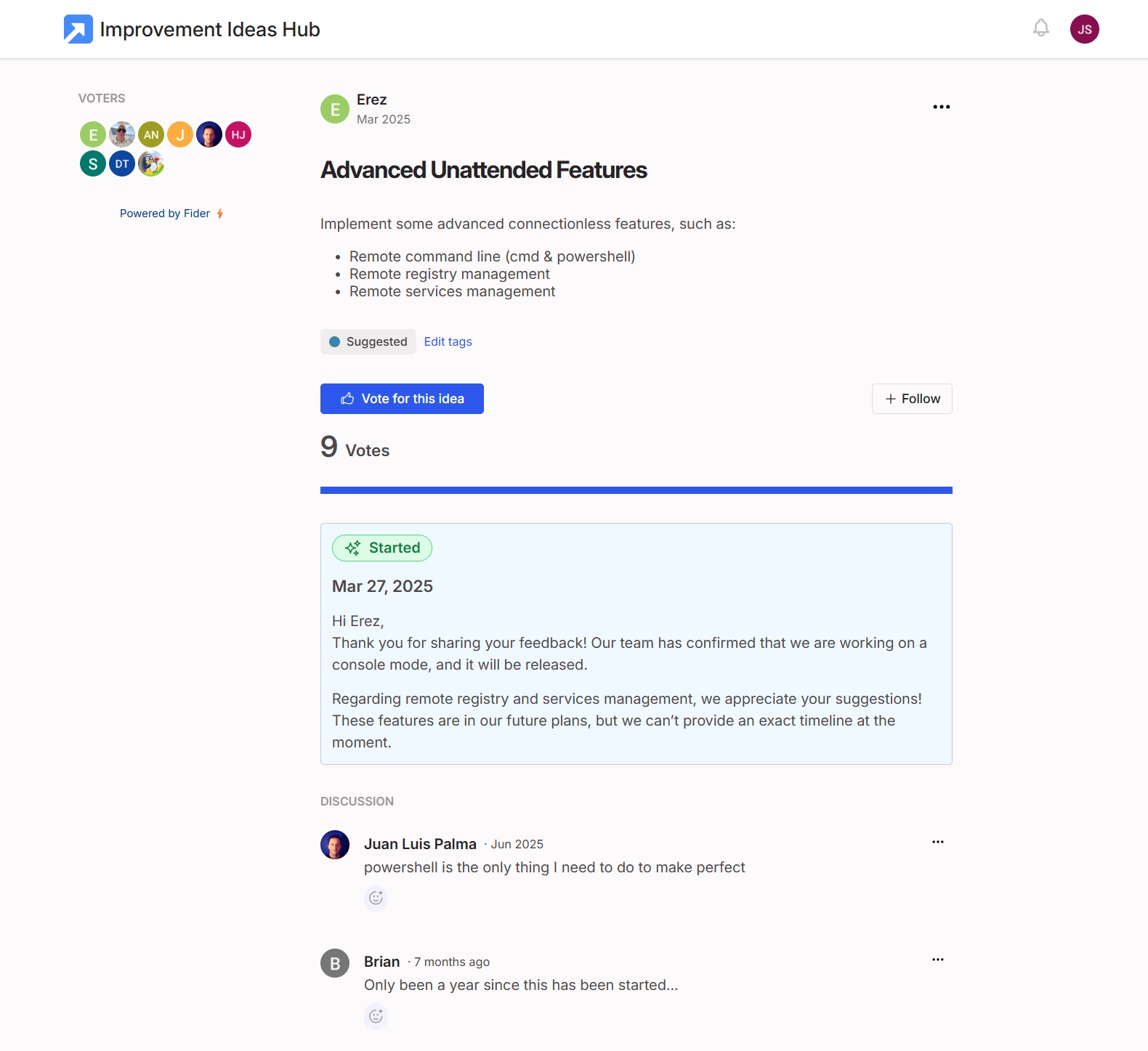
Shared Experience
Together, these features make the Ideas Hub more than a suggestion box. It gives users a way to compare experiences, support shared priorities, and contribute details that help clarify what an improvement should accomplish.
Track Your Suggestions’ Improvement
When users share feedback, they want to know that someone has seen it. That's why visibility into the status of an idea matters.
The Ideas Hub uses status labels to show where suggestions stand. These labels help users understand whether a proposal is still being considered, has entered development, or has already been addressed.
The Getscreen.me team reviews incoming suggestions and responds to user feedback. When an improvement is implemented, the status can be updated so users can see the outcome.
For example, one request in the Hub concerning Wayland support for the Linux agent is marked as completed, with a response explaining that the support had been implemented and advising users to update to the latest version.
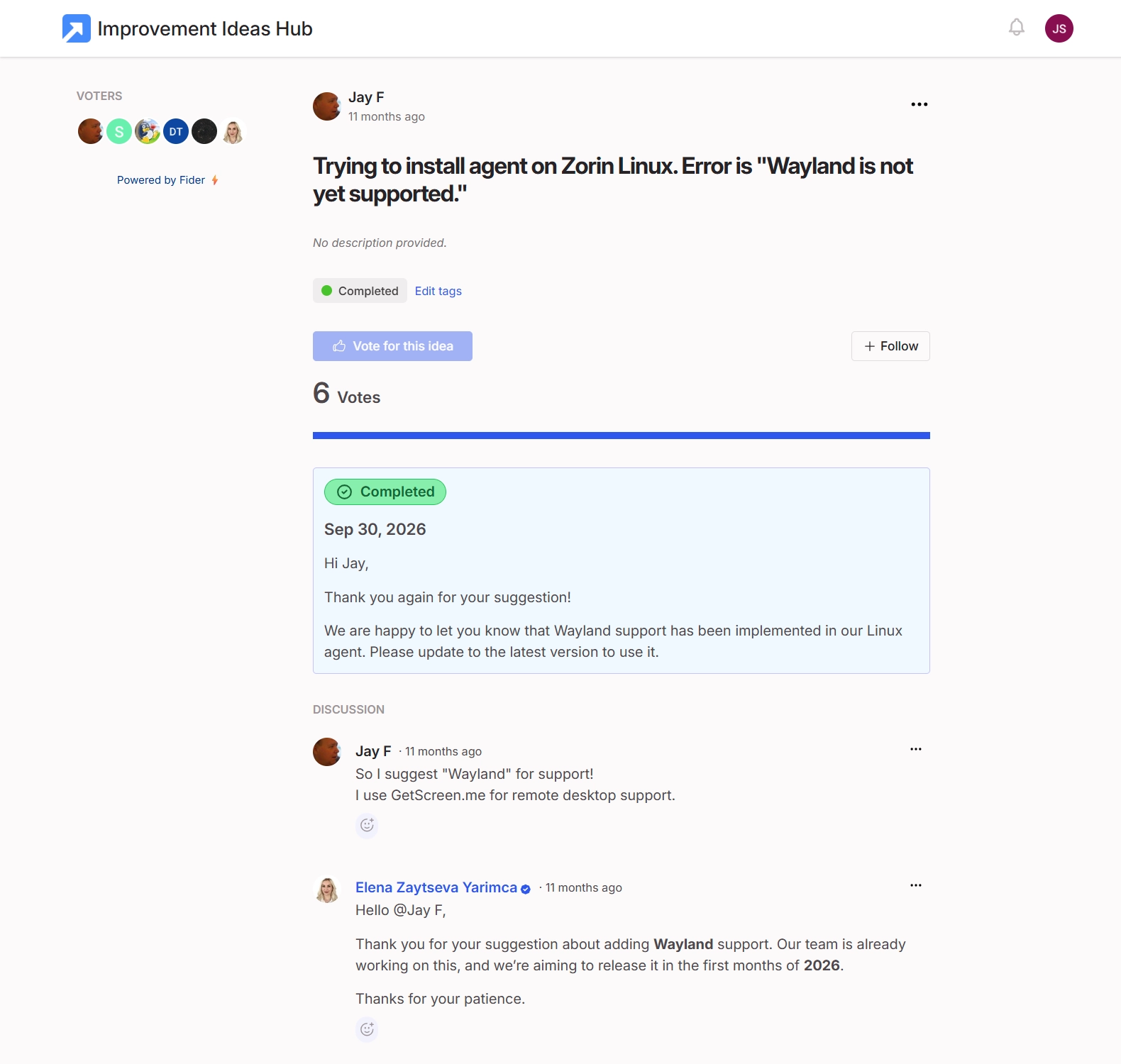
This kind of feedback closes the loop between a request and its outcome. Users can see how a specific issue was addressed rather than having to wonder whether their suggestion reached the product team.
Addressed Improvements
Not every proposal will necessarily be implemented. However, keeping suggestions visible and their status clear helps users understand what is happening and gives the community a more transparent way to follow the process.
Building a Better Product Together
The Improvement Ideas Hub reflects an important part of how we approach Getscreen.me development. People who use the product every day have valuable insight into what could make it more useful.
You don't need to wait for a survey or a direct conversation with our team to share your thoughts. You can visit the Getscreen.me Improvement Ideas Hub, explore the existing requests, and contribute your own suggestions.
Have an idea that could make remote access easier? Share it with us. Your feedback helps us understand what matters to our users and guides the ongoing development of Getscreen.me.