How a European Gas Station Chain Built a Secure Remote Support Infrastructure with Getscreen.me
Running a network of gas stations depends on a combination of computers, point-of-sale systems, self-service kiosks, network equipment, surveillance systems, and other connected devices. When something goes wrong, the local staff needs fast remote support, especially when the nearest IT specialist is hundreds of kilometers away.
For one European fuel retailer, this became a growing operational challenge. With hundreds of stations across several countries, the company needed to support a distributed IT environment without giving up control over its infrastructure and data.
The company eventually deployed a self-hosted version of Getscreen.me and integrated remote access into its existing IT operations. The result was a more consistent support process that allowed technicians to troubleshoot devices remotely while keeping the remote access infrastructure inside the company's own environment.
Privacy
As we value our clients' privacy and due to the Non-Disclosure Agreement with the company, we cannot reveal the legal business name. Therefore, this use case is anonymous.
About the Company
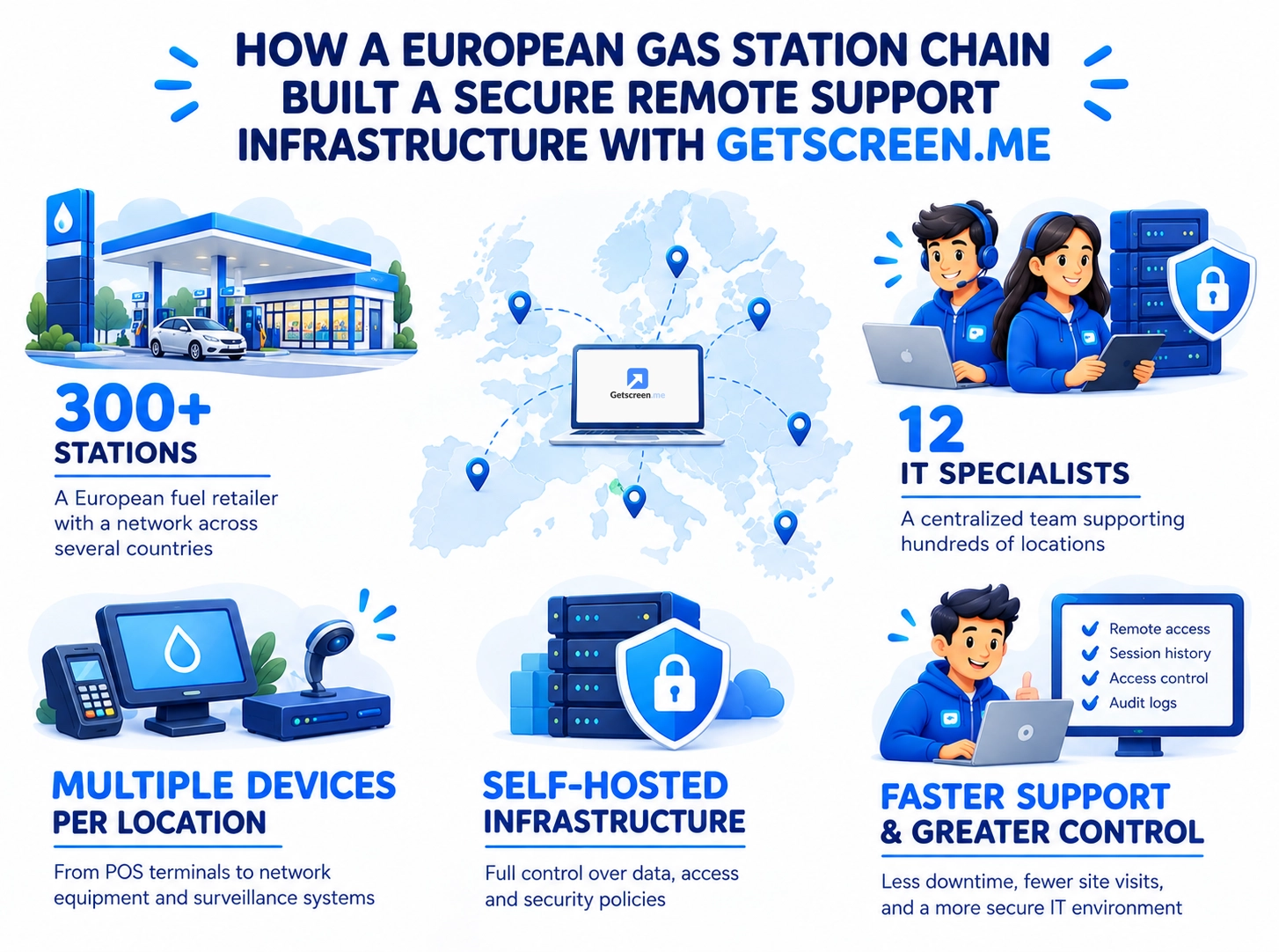
The customer is a European fuel-station operator with a network of more than 300 locations across several countries. Its stations range from small roadside facilities to larger sites with convenience stores, restaurants, electric vehicle charging points, and automated services.
The company's IT department is centralized. A relatively small team of specialists provides technical support for the entire network, while local employees handle day-to-day operations at individual stations.
The IT environment is diverse. Each location may include office workstations, POS terminals, self-service kiosks, network equipment, and computers responsible for managing station-specific systems. Most devices are connected to the company's corporate network, but individual stations have different network configurations and connectivity conditions.
Challenge
As the network expanded, supporting this infrastructure became increasingly difficult.
The Challenge: Supporting Hundreds of Locations Remotely
Before introducing a dedicated remote access platform, the IT team relied on a combination of VPN connections, remote desktop tools, and local assistance from station employees.
This approach worked with a smaller number of locations. However, at scale it created several problems.
Time
A technician could spend considerable time establishing a connection, identifying the affected device, and working around the network configuration at a particular station. If remote troubleshooting failed, someone eventually had to travel to the location.
Inconsistent Access
Different types of devices and network environments required different approaches. Technicians had to switch between tools and connection methods depending on the station and the problem.
Security Issues
The company wanted remote access to follow the same security principles as the rest of its IT infrastructure. Remote connections involved operational systems and potentially sensitive business information, so the IT department needed centralized control over user permissions, authentication, connection management, and stored data.
The IT team defined several requirements for a new remote access platform:
- The solution had to support a large and geographically distributed device fleet.
- The remote access infrastructure needed to run inside the company's own environment.
- IT administrators needed centralized control over users, permissions, and connected devices.
- The system had to work across different network configurations, including locations where direct peer-to-peer connections were unavailable.
- Security settings had to be adaptable to the company's internal policies.
- Remote activity needed to remain visible through connection history and other audit mechanisms.
- The platform had to be practical for a relatively small IT team supporting hundreds of locations.
Key Objective
The company wanted to avoid building its support operations around infrastructure that it did not control.These requirements made a self-hosted deployment a natural fit for the company's infrastructure and seamless integration.
Why the Company Chose Getscreen.me
The IT team evaluated several approaches to remote support. A cloud-based platform could simplify deployment, but it would also mean relying on external infrastructure for connection management and data processing.
The company already maintained its own infrastructure and had established security policies for systems used across its network. Moving remote access outside that environment would introduce another external dependency and make it harder to apply the same controls across the entire support process.
A self-hosted solution offered a better fit.
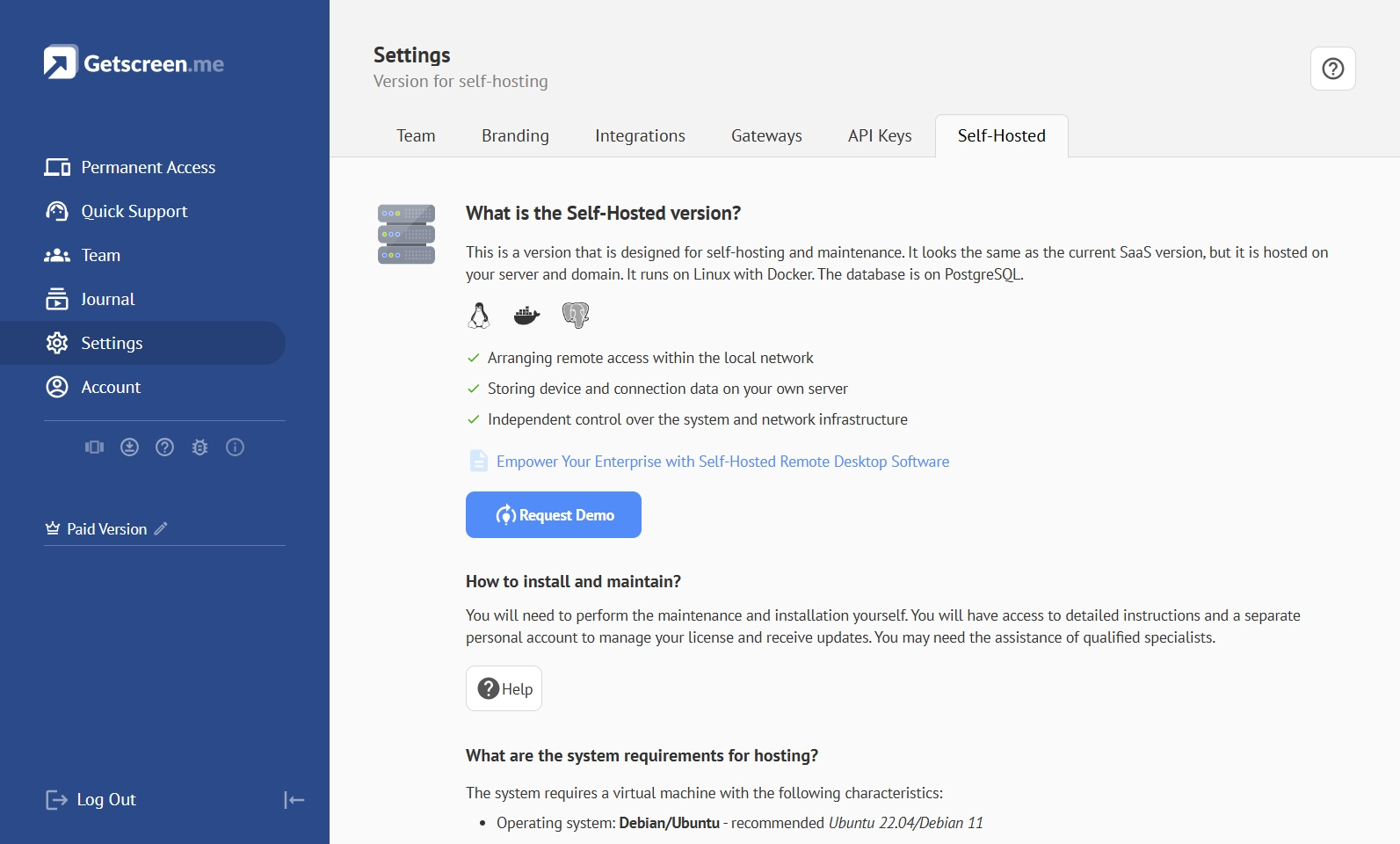
With Getscreen.me Self-Hosted, the company could deploy the remote access environment on its own servers and keep control over its configuration, user management, connection infrastructure, and stored data. The architecture also allowed the IT team to adapt the deployment to the network conditions of individual stations.
Flexibility
Instead of changing the company's network architecture to accommodate a remote access platform, the IT team could configure the remote access infrastructure around the existing network.
Building the Remote Support Environment
The deployment started with a central Getscreen.me server inside the company's infrastructure.
The server became the central point for managing technician accounts, registered agents, permissions, and connection coordination. Remote access agents were then installed on the devices that required regular IT support.
The company did not rely on a single connection route for every station. Where direct peer-to-peer communication was possible, technicians could connect directly to remote devices. When network restrictions prevented this, traffic could be routed through the proxy component instead.
This was particularly useful for the company's geographically distributed infrastructure. Stations operated under different local network conditions, and the IT team could place proxy infrastructure where it made the most sense for the organization's network.
Control
The result was a remote access environment that followed the company's existing infrastructure instead of forcing every station into the same network configuration.
Centralized Access for a Distributed IT Team
Once the infrastructure was in place, the IT department centralized remote support through Getscreen.me.
Technicians could see the devices assigned to them and establish remote sessions without asking station employees to configure third-party software or walk through complicated connection procedures.
For local employees, the process became simpler as well. When a station reported a technical problem, the technician could identify the affected device and start troubleshooting remotely.
The centralized approach also gave administrators greater control over specialists who could access the company's devices. User accounts and permissions could be managed from a single environment rather than maintained separately across different remote access tools.
Scalability
The company could expand its remote support infrastructure without creating a separate process for every new station.
Adapting Security to the Company's Requirements
The IT team configured access controls according to its existing requirements, including restrictions on who could access the management environment and how remote connections were authenticated.
The company also gained visibility into remote activity through connection history and other monitoring capabilities. This helped the IT department understand who accessed a device, when the session took place, and what support activity had occurred.
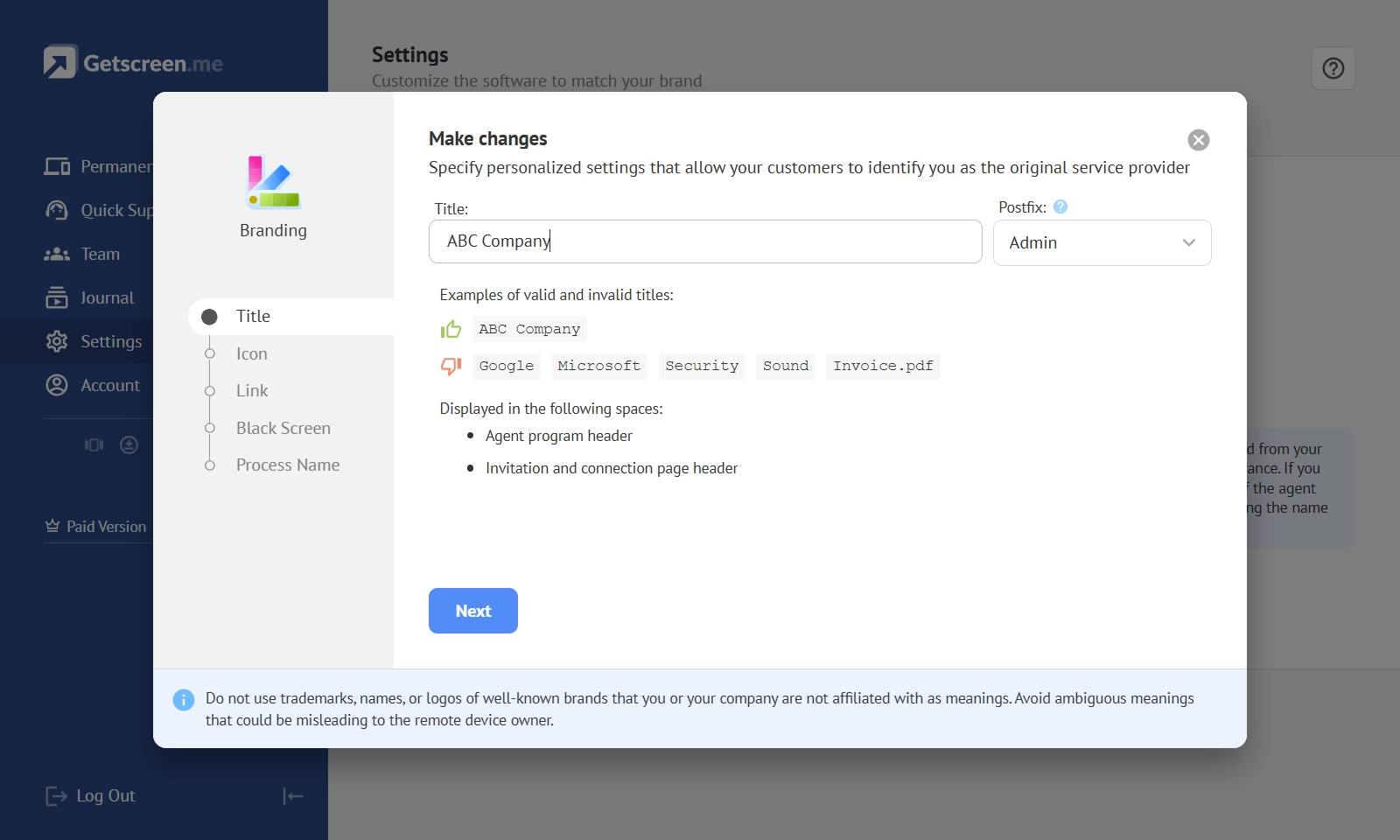
For an organization operating hundreds of geographically distributed sites, this visibility was important for both day-to-day administration and internal security reviews. Customized branding added an extra security layer and improved recognition.
Safety
The company did not have to transfer control of its remote access infrastructure to an external provider. The core environment remained under its own administration.
Results: Faster Support With Greater Control
After deploying Getscreen.me Self-Hosted solution, the fuel retailer was able to make remote support a consistent part of its IT operations.
The support team could troubleshoot issues at stations without sending technicians to the site in most cases. This reduced response times and helped minimize unnecessary travel, while local employees spent less time assisting with technical problems.
Centralized management also made it easier to control access across hundreds of devices and maintain visibility into remote sessions. The company still retained control over the remote access infrastructure and could adapt it to its security and network requirements.
A distributed infrastructure became easier to support without compromising control over the company's IT environment.